פאנל ניהול מותאם אישית
-
@ben-zion
קוד חדש
כותבים פקודה בapi
ועוד דברים זה ישן<!doctype html> <html lang="he" dir="rtl"> <head> <meta charset="utf-8" /> <meta name="viewport" content="width=device-width,initial-scale=1" /> <title>ניהול בסיסי לשלוחה - ימות המשיח</title> <style> body{ font-family:Arial,sans-serif; background:#f4f6f9; margin:0; padding:20px; color:#222; } .wrap{ max-width:1000px; margin:auto; } h1{ margin:0 0 20px; background:#243447; color:#fff; padding:14px; border-radius:12px; font-size:24px; } .grid{ display:grid; grid-template-columns:repeat(auto-fit,minmax(300px,1fr)); gap:16px; } .card{ background:#fff; border-radius:14px; padding:16px; box-shadow:0 2px 10px rgba(0,0,0,.08); } .card h2{ margin-top:0; font-size:20px; } label{ display:block; margin:10px 0 5px; font-weight:bold; } input, textarea, select, button{ width:100%; box-sizing:border-box; padding:10px; border:1px solid #cfd7df; border-radius:10px; font-size:15px; } textarea{ min-height:130px; resize:vertical; font-family:monospace; } button{ background:#0b57d0; color:#fff; border:none; cursor:pointer; font-weight:bold; margin-top:10px; } button:hover{ opacity:.92; } .btn-danger{ background:#c62828; } .btn-green{ background:#2e7d32; } .btn-gray{ background:#546e7a; } .row{ display:grid; grid-template-columns:1fr 1fr; gap:10px; } .small{ font-size:13px; color:#666; margin-top:6px; } #filesTable{ width:100%; border-collapse:collapse; margin-top:10px; font-size:14px; } #filesTable th,#filesTable td{ border:1px solid #ddd; padding:8px; text-align:right; } #filesTable th{ background:#eef3f8; } pre{ background:#111; color:#7CFC00; padding:14px; border-radius:12px; min-height:180px; overflow:auto; white-space:pre-wrap; word-break:break-word; } .muted{ color:#888; font-size:13px; } </style> </head> <body> <div class="wrap"> <h1>ניהול בסיסי לשלוחה - ימות המשיח</h1> <div class="card" style="margin-bottom:16px;"> <h2>הגדרות כלליות</h2> <label>טוקן</label> <input id="token" placeholder="077XXXXXXX:XXXXXX" /> <label>נתיב שלוחה</label> <input id="path" placeholder="לדוגמה: 1/2/3" /> <div class="small">הנתיב יישלח ל־API כ־ivr2:1/2/3</div> </div> <div class="grid"> <div class="card"> <h2>העלאת קובץ</h2> <label>בחר קובץ</label> <input type="file" id="uploadFileInput" /> <label>שם יעד לקובץ (לא חובה)</label> <input id="targetFileName" placeholder="לדוגמה: 000.wav או ext.ini" /> <label> <input type="checkbox" id="convertAudio" style="width:auto;transform:scale(1.2);margin-left:8px;"> המר אודיו ל־wav </label> <button onclick="uploadFile()">העלה קובץ</button> </div> <div class="card"> <h2>הורדת קובץ</h2> <label>שם קובץ להורדה</label> <input id="downloadFileName" placeholder="לדוגמה: 000.wav או ext.ini" /> <button class="btn-green" onclick="downloadFile()">הורד קובץ</button> </div> <div class="card"> <h2>מחיקה</h2> <label>שם קובץ / שלוחה למחיקה</label> <input id="deleteName" placeholder="לדוגמה: 000.wav או 8" /> <button class="btn-danger" onclick="deleteItem()">מחק</button> </div> <div class="card"> <h2>רשימת קבצים בשלוחה</h2> <button class="btn-gray" onclick="getDir()">רענן רשימת קבצים</button> <div id="filesArea" class="muted" style="margin-top:10px;">עדיין לא נטענה רשימה</div> </div> <div class="card"> <h2>ניהול ext.ini</h2> <div class="row"> <div> <button class="btn-gray" onclick="loadTextFile('ext.ini','extContent')">טען ext.ini</button> </div> <div> <button onclick="saveTextFile('ext.ini','extContent')">שמור ext.ini</button> </div> </div> <label>תוכן ext.ini</label> <textarea id="extContent" placeholder="type=menu title=בדיקה"></textarea> </div> <div class="card"> <h2>ניהול קובץ INI</h2> <label>שם קובץ ini</label> <input id="iniFileName" placeholder="לדוגמה: M1000.ini" /> <div class="row"> <div> <button class="btn-gray" onclick="loadNamedIni()">טען קובץ ini</button> </div> <div> <button onclick="saveNamedIni()">שמור קובץ ini</button> </div> </div> <label>תוכן קובץ ini</label> <textarea id="iniContent"></textarea> </div> <div class="card"> <h2>ניהול קובץ EXT נוסף</h2> <label>שם קובץ ext</label> <input id="extFileName" placeholder="לדוגמה: ext.ini או ext2.ini" /> <div class="row"> <div> <button class="btn-gray" onclick="loadNamedExt()">טען קובץ ext</button> </div> <div> <button onclick="saveNamedExt()">שמור קובץ ext</button> </div> </div> <label>תוכן קובץ ext</label> <textarea id="extCustomContent"></textarea> </div> <div class="card"> <h2>ניהול רשימ"ת / רשימת צינתוקים</h2> <label>שם רשימה</label> <input id="listName" placeholder="לדוגמה: 120" /> <div class="row"> <div><button class="btn-gray" onclick="getLists()">הצג כל הרשימות</button></div> <div><button class="btn-gray" onclick="getListEntries()">הצג מנויים</button></div> </div> <div class="row"> <div><button class="btn-gray" onclick="getListLog()">הצג לוג</button></div> <div><button class="btn-danger" onclick="resetList()">אפס רשימה</button></div> </div> <div class="small"> לפי התיעוד שמצאתי: יש צפייה ברשימות, מנויים, לוג ואיפוס. לא מצאתי כאן פעולה ברורה להוספה/מחיקה ידנית של מספר דרך ה־API הרגיל. </div> </div> </div> <div class="card" style="margin-top:16px;"> <h2>לוג / פלט</h2> <pre id="log"></pre> </div> </div> <script> const API = "https://www.call2all.co.il/ym/api/"; function log(msg, append = true) { const el = document.getElementById("log"); const text = typeof msg === "string" ? msg : JSON.stringify(msg, null, 2); el.textContent = append ? (el.textContent + (el.textContent ? "\n\n" : "") + text) : text; } function clearLog() { document.getElementById("log").textContent = ""; } function getToken() { return document.getElementById("token").value.trim(); } function getPathRaw() { return document.getElementById("path").value.trim().replace(/^\/+|\/+$/g, ""); } function getIvrPath() { const p = getPathRaw(); return p ? `ivr2:${p}` : "ivr2:"; } function buildFullPath(fileName) { const p = getPathRaw(); const cleanName = String(fileName || "").trim().replace(/^\/+/, ""); return p ? `ivr2:${p}/${cleanName}` : `ivr2:${cleanName}`; } function ensureTokenAndPath() { const token = getToken(); const path = getPathRaw(); if (!token) { alert("נא להזין טוקן"); return null; } if (!path) { alert("נא להזין נתיב שלוחה"); return null; } return { token, path }; } async function safeJson(res) { const txt = await res.text(); try { return JSON.parse(txt); } catch { return { raw: txt, httpStatus: res.status, ok: res.ok }; } } async function uploadFile() { clearLog(); const base = ensureTokenAndPath(); if (!base) return; const fileInput = document.getElementById("uploadFileInput"); const file = fileInput.files[0]; if (!file) { alert("נא לבחור קובץ"); return; } const targetFileName = document.getElementById("targetFileName").value.trim() || file.name; const convertAudio = document.getElementById("convertAudio").checked ? "1" : "0"; const form = new FormData(); form.append("token", base.token); form.append("path", buildFullPath(targetFileName)); form.append("convertAudio", convertAudio); form.append("qqfile", file, file.name); try { const res = await fetch(API + "UploadFile", { method: "POST", body: form }); const data = await safeJson(res); log(data, false); await getDir(); } catch (e) { log("שגיאה בהעלאה: " + e.message, false); } } function downloadFile() { clearLog(); const base = ensureTokenAndPath(); if (!base) return; const name = document.getElementById("downloadFileName").value.trim(); if (!name) { alert("נא להזין שם קובץ"); return; } const url = API + "DownloadFile?token=" + encodeURIComponent(base.token) + "&path=" + encodeURIComponent(buildFullPath(name)); log("פותח הורדה:\n" + url, false); window.open(url, "_blank"); } async function deleteItem() { clearLog(); const base = ensureTokenAndPath(); if (!base) return; const name = document.getElementById("deleteName").value.trim(); if (!name) { alert("נא להזין שם קובץ או שלוחה למחיקה"); return; } if (!confirm("למחוק את: " + name + " ?")) return; const url = API + "FileAction?token=" + encodeURIComponent(base.token) + "&action=delete" + "&what=" + encodeURIComponent(buildFullPath(name)); try { const res = await fetch(url); const data = await safeJson(res); log(data, false); await getDir(); } catch (e) { log("שגיאה במחיקה: " + e.message, false); } } async function getDir() { const base = ensureTokenAndPath(); if (!base) return; const url = API + "GetIVR2Dir?token=" + encodeURIComponent(base.token) + "&path=" + encodeURIComponent(base.path); try { const res = await fetch(url); const data = await safeJson(res); log(data, false); renderFiles(data); } catch (e) { log("שגיאה בקבלת רשימת קבצים: " + e.message, false); } } function renderFiles(data) { const area = document.getElementById("filesArea"); const files = data && data.files ? data.files : []; if (!files.length) { area.innerHTML = "לא נמצאו קבצים או שלא התקבלה רשימה."; return; } let html = ` <table id="filesTable"> <thead> <tr> <th>שם</th> <th>סוג</th> <th>גודל</th> </tr> </thead> <tbody> `; for (const f of files) { html += ` <tr> <td>${escapeHtml(f.name ?? "")}</td> <td>${escapeHtml(f.fileType ?? "")}</td> <td>${escapeHtml(String(f.size ?? ""))}</td> </tr> `; } html += `</tbody></table>`; area.innerHTML = html; } async function loadTextFile(fileName, targetTextareaId) { clearLog(); const base = ensureTokenAndPath(); if (!base) return; const url = API + "GetTextFile?token=" + encodeURIComponent(base.token) + "&what=" + encodeURIComponent(buildFullPath(fileName)); try { const res = await fetch(url); const data = await safeJson(res); log(data, false); if (data && typeof data.contents !== "undefined") { document.getElementById(targetTextareaId).value = data.contents; } else { alert("לא התקבל תוכן קובץ"); } } catch (e) { log("שגיאה בקריאת קובץ טקסט: " + e.message, false); } } async function saveTextFile(fileName, sourceTextareaId) { clearLog(); const base = ensureTokenAndPath(); if (!base) return; const content = document.getElementById(sourceTextareaId).value; const body = new URLSearchParams(); body.append("token", base.token); body.append("what", buildFullPath(fileName)); body.append("contents", content); try { const res = await fetch(API + "UploadTextFile", { method: "POST", headers: { "Content-Type": "application/x-www-form-urlencoded;charset=UTF-8" }, body: body.toString() }); const data = await safeJson(res); log(data, false); await getDir(); } catch (e) { log("שגיאה בשמירת קובץ טקסט: " + e.message, false); } } function loadNamedIni() { const name = document.getElementById("iniFileName").value.trim(); if (!name) return alert("נא להזין שם קובץ ini"); loadTextFile(name, "iniContent"); } function saveNamedIni() { const name = document.getElementById("iniFileName").value.trim(); if (!name) return alert("נא להזין שם קובץ ini"); saveTextFile(name, "iniContent"); } function loadNamedExt() { const name = document.getElementById("extFileName").value.trim(); if (!name) return alert("נא להזין שם קובץ ext"); loadTextFile(name, "extCustomContent"); } function saveNamedExt() { const name = document.getElementById("extFileName").value.trim(); if (!name) return alert("נא להזין שם קובץ ext"); saveTextFile(name, "extCustomContent"); } async function getLists() { clearLog(); const token = getToken(); if (!token) return alert("נא להזין טוקן"); try { const url = API + "?token=" + encodeURIComponent(token) + "&action=getLists"; const res = await fetch(url); const data = await safeJson(res); log(data, false); } catch (e) { log("שגיאה בקבלת רשימות: " + e.message, false); } } async function getListEntries() { clearLog(); const token = getToken(); const listName = document.getElementById("listName").value.trim(); if (!token) return alert("נא להזין טוקן"); if (!listName) return alert("נא להזין שם רשימה"); try { const url = API + "?token=" + encodeURIComponent(token) + "&action=getlistEnteres&TzintukimList=" + encodeURIComponent(listName); const res = await fetch(url); const data = await safeJson(res); log(data, false); } catch (e) { log("שגיאה בקבלת מנויי הרשימה: " + e.message, false); } } async function getListLog() { clearLog(); const token = getToken(); const listName = document.getElementById("listName").value.trim(); if (!token) return alert("נא להזין טוקן"); if (!listName) return alert("נא להזין שם רשימה"); try { const url = API + "?token=" + encodeURIComponent(token) + "&action=getLogList&TzintukimList=" + encodeURIComponent(listName); const res = await fetch(url); const data = await safeJson(res); log(data, false); } catch (e) { log("שגיאה בקבלת לוג הרשימה: " + e.message, false); } } async function resetList() { clearLog(); const token = getToken(); const listName = document.getElementById("listName").value.trim(); if (!token) return alert("נא להזין טוקן"); if (!listName) return alert("נא להזין שם רשימה"); if (!confirm("לאפס את הרשימה " + listName + " ?")) return; try { const url = API + "?token=" + encodeURIComponent(token) + "&action=resetList&TzintukimList=" + encodeURIComponent(listName); const res = await fetch(url); const data = await safeJson(res); log(data, false); } catch (e) { log("שגיאה באיפוס רשימה: " + e.message, false); } } function escapeHtml(str) { return String(str) .replaceAll("&", "&") .replaceAll("<", "<") .replaceAll(">", ">") .replaceAll('"', """) .replaceAll("'", "'"); } </script> </body> </html> -
@ben-zion
מה אומר -
יש חדש
@ben-zion -
@לימוד-בתורת-מרן
וואו!!!
זה ממש הכללל!
ודרך אגב יש בתיעוד הסבר איך להוסיף מספרים לרשי"ת. -
@לימוד-בתורת-מרן יפה אבל אני רוצה משהו יותר מסודר
-
@BEN-ZION
כלומר?
מבחינת העיצוב?
או שהכל יהיה בנוי על רשימת הקבצים המוצגת כמו זה<!DOCTYPE html> <html lang="he" dir="rtl"> <head> <meta charset="UTF-8"> <title>ניהול שלוחות ימות המשיח</title> <style> :root { --primary: #2c3e50; --accent: #3498db; --success: #27ae60; --danger: #e74c3c; --violet: #8e44ad; --orange: #f39c12; } body { font-family: 'Segoe UI', sans-serif; background: #f4f7f6; margin: 0; padding: 20px; } /* סרגל עליון */ .top-bar { background: white; padding: 15px; border-radius: 10px; box-shadow: 0 2px 10px rgba(0,0,0,0.05); display: flex; flex-direction: column; gap: 10px; margin-bottom: 20px; } .inputs-row { display: flex; gap: 10px; align-items: center; width: 100%; } input { padding: 8px; border: 1px solid #ddd; border-radius: 5px; flex: 1; } /* עיצוב רכיב הטוקנים */ .token-main { position: relative; flex: 1; display: flex; } /* גודל זהה לשדה הנתיב */ #tokenField { flex: 1; width: 100%; } .token-dropdown { position: absolute; width: 100%; background: white; border: 1px solid #ccc; border-radius: 8px; box-shadow: 0 4px 10px rgba(0,0,0,0.1); z-index: 1000; max-height: 250px; overflow-y: auto; display: none; top: 100%; } .token-item { display: flex; justify-content: space-between; align-items: center; padding: 10px; cursor: pointer; border-bottom: 1px solid #eee; color: #333; } .token-item:hover { background: #f8f9fa; } .delete-item { color: #dc3545; font-weight: bold; padding: 5px 10px; cursor: pointer; border: none; background: none; } .dropdown-footer { padding: 8px; background: #f1f3f5; display: flex; gap: 5px; justify-content: center; border-top: 1px solid #ddd; } .footer-btn { font-size: 11px; padding: 4px 8px; cursor: pointer; border: 1px solid #ccc; background: white; border-radius: 4px; } /* כפתורים וטבלה */ .btn { cursor: pointer; border: none; border-radius: 4px; padding: 4px 8px; font-weight: bold; color: white; transition: 0.2s; font-size: 11px; text-align: center; display: inline-block; width: 100%; max-width: 75px; } .btn:hover { opacity: 0.85; transform: translateY(-1px); } .btn-load { background: var(--primary); padding: 8px 18px; width: auto; max-width: none; font-size: 14px; } .ext-container { background: #fff; padding: 15px; border-radius: 10px; box-shadow: 0 2px 10px rgba(0,0,0,0.05); margin-bottom: 20px; border-top: 4px solid var(--primary); } .ext-container h4 { margin: 0 0 10px 0; color: var(--primary); display: flex; justify-content: space-between; align-items: center; } #extTextArea { width: 100%; height: 120px; font-family: 'Consolas', monospace; font-size: 13px; padding: 10px; box-sizing: border-box; border: 1px solid #ddd; background: #fcfcfc; border-radius: 5px; } table { width: 100%; background: white; border-collapse: collapse; border-radius: 8px; overflow: hidden; } th { background: #f8f9fa; padding: 10px; font-size: 12px; border-bottom: 2px solid #eee; } td { padding: 5px 8px; border-bottom: 1px solid #eee; text-align: center; font-size: 12px; } .dl { background: var(--success); } .ed { background: var(--orange); } .up { background: var(--accent); } .del { background: var(--danger); } .view { background: var(--violet); } .modal { display: none; position: fixed; inset: 0; background: rgba(0,0,0,0.6); justify-content: center; align-items: center; z-index: 1000; } .modal-content { background: white; padding: 25px; border-radius: 12px; width: 600px; max-width: 95%; } .modal-footer { margin-top: 20px; display: flex; justify-content: flex-start; flex-direction: row-reverse; gap: 10px; } .convert-row { display: flex; gap: 10px; justify-content: center; margin-top: 20px; } </style> </head> <body> <div class="top-bar"> <div class="inputs-row"> <div class="token-main"> <input type="text" id="tokenField" placeholder="הזן טוקן או בחר" onclick="toggleDropdown(true)" oninput="filterDropdown(this.value)" onkeypress="handleEnter(event)" autocomplete="off"> <div id="tokenDropdown" class="token-dropdown"></div> </div> <input type="text" id="pathField" value="" placeholder="נתיב שלוחה" onkeypress="handleEnter(event)"> <button class="btn btn-load" onclick="startProcess()">טען רשימת קבצים</button> </div> <div style="display: flex; align-items: center; gap: 15px; padding-top: 5px;"> <div style="display: flex; align-items: center; gap: 5px;"> <input type="checkbox" id="saveTokenToggle" style="width: auto; cursor: pointer;" onchange="document.getElementById('tokenNameField').style.display = this.checked ? 'block' : 'none'"> <label for="saveTokenToggle" style="font-size: 12px; cursor: pointer; color: #666;">שמור טוקן זה במאגר</label> </div> <div id="tokenNameField" style="display:none;"> <input type="text" id="tokenAlias" placeholder="שם למזהה (למשל: המערכת שלי)" style="font-size: 12px; padding: 5px; width: 200px;"> </div> </div> </div> <div class="ext-container" id="extContainer" style="display:none;"> <h4> <span>הגדרות שלוחה (ext.ini)</span> <div style="display:flex; gap:8px;"> <button class="btn" style="background:var(--orange); width:auto; padding:5px 15px;" onclick="renameExtIni()">שנה שם</button> <button class="btn" style="background:var(--success); width:auto; padding:5px 15px;" onclick="saveExtIni()">שמור שינויים</button> </div> </h4> <textarea id="extTextArea"></textarea> </div> <table> <thead> <tr> <th style="text-align: right; width: 25%;">שם קובץ</th> <th>גודל</th> <th>תצוגה</th> <th>הורדה</th> <th>שינוי שם</th> <th>החלפה</th> <th>מחיקה</th> </tr> </thead> <tbody id="tableBody"></tbody> </table> <div id="mainModal" class="modal"> <div class="modal-content"> <h3 id="modalTitle" style="margin:0 0 15px 0; border-bottom:1px solid #eee; padding-bottom:10px;"></h3> <div id="modalBody"></div> <div class="modal-footer" id="modalFooter"> <button id="saveBtn" class="btn btn-load">שמור</button> <button class="btn" onclick="closeModal()" style="background:#95a5a6;">ביטול</button> </div> </div> </div> <script> const API_BASE = 'https://www.call2all.co.il/ym/api/'; const STORAGE_KEY = 'yemot_permanent_storage'; let savedTokens = JSON.parse(localStorage.getItem(STORAGE_KEY) || '{}'); document.addEventListener('click', (e) => { if (!e.target.closest('.token-main')) toggleDropdown(false); }); function toggleDropdown(show) { const dropdown = document.getElementById('tokenDropdown'); if (show) { renderDropdown(); dropdown.style.display = 'block'; } else { dropdown.style.display = 'none'; } } function renderDropdown(filter = "") { const dropdown = document.getElementById('tokenDropdown'); dropdown.innerHTML = ''; const filteredKeys = Object.keys(savedTokens).filter(a => a.toLowerCase().includes(filter.toLowerCase())); filteredKeys.forEach(alias => { const item = document.createElement('div'); item.className = 'token-item'; item.innerHTML = `<span>${alias}</span><button type="button" class="delete-item">✖</button>`; item.onclick = () => { document.getElementById('tokenField').value = savedTokens[alias]; toggleDropdown(false); }; item.querySelector('.delete-item').onclick = (e) => { e.stopPropagation(); if(confirm(`למחוק את ${alias}?`)) { delete savedTokens[alias]; localStorage.setItem(STORAGE_KEY, JSON.stringify(savedTokens)); renderDropdown(filter); } }; dropdown.appendChild(item); }); const footer = document.createElement('div'); footer.className = 'dropdown-footer'; footer.innerHTML = `<button type="button" class="footer-btn" style="color:red" onclick="if(confirm('למחוק הכל?')){savedTokens={};localStorage.setItem(STORAGE_KEY,'{}');renderDropdown();}">מחק הכל</button>`; footer.onclick = (e) => e.stopPropagation(); dropdown.appendChild(footer); } function filterDropdown(val) { renderDropdown(val); document.getElementById('tokenDropdown').style.display = 'block'; } function startProcess() { saveCurrentTokenIfRequested(); loadDirectory(); } function saveCurrentTokenIfRequested() { const token = document.getElementById('tokenField').value.trim(); const alias = document.getElementById('tokenAlias').value.trim(); if (document.getElementById('saveTokenToggle').checked && alias && token) { savedTokens[alias] = token; localStorage.setItem(STORAGE_KEY, JSON.stringify(savedTokens)); } } function handleEnter(event) { if (event.key === "Enter") startProcess(); } function getFullPath(fileName = "") { let rawPath = document.getElementById('pathField').value.trim(); if (rawPath && !rawPath.endsWith('/') && fileName !== "") rawPath += '/'; return `ivr2:${rawPath}${fileName}`; } async function callApi(method, params = {}) { const token = document.getElementById('tokenField').value.trim(); if (!token) return; let url = `${API_BASE}${method}?token=${token}`; for (let key in params) url += `&${key}=${encodeURIComponent(params[key])}`; const res = await fetch(url); return await res.json(); } async function loadDirectory() { const data = await callApi('GetIVR2Dir', { path: getFullPath() }); const body = document.getElementById('tableBody'); body.innerHTML = ''; if (data && data.files) { data.files.forEach(file => { const isText = file.name.endsWith('.ini') || file.name.endsWith('.tts'); body.innerHTML += ` <tr> <td style="text-align: right;"><strong>${file.name}</strong></td> <td style="color:#888;">${file.size} B</td> <td>${isText ? `<button class="btn view" onclick="openTextFile('${file.name}')">הצג</button>` : '-'}</td> <td><button class="btn dl" onclick="handleDownloadClick('${file.name}')">הורדה</button></td> <td><button class="btn ed" onclick="renameFile('${file.name}')">שינוי</button></td> <td><button class="btn up" onclick="uploadUI('${file.name}')">החלפה</button></td> <td><button class="btn del" onclick="deleteFile('${file.name}')">מחיקה</button></td> </tr>`; }); loadExtIni(); } } async function loadExtIni() { const data = await callApi('GetTextFile', { what: getFullPath('ext.ini') }); document.getElementById('extContainer').style.display = 'block'; document.getElementById('extTextArea').value = (data && data.exists !== false) ? data.contents || "" : "קובץ ext.ini לא נמצא."; } async function saveExtIni() { const res = await callApi('UploadTextFile', { what: getFullPath('ext.ini'), contents: document.getElementById('extTextArea').value }); if (res && res.responseStatus === "OK") alert("נשמר!"); } async function renameExtIni() { const newName = prompt("שם חדש ל-ext.ini:", "ext.ini"); if (newName) { const res = await callApi('FileAction', { action: 'move', what: getFullPath('ext.ini'), target: getFullPath(newName) }); if (res && res.responseStatus === "OK") loadDirectory(); } } function handleDownloadClick(name) { if (name.toLowerCase().endsWith('.ymgr')) showConvertModal(name); else window.open(`${API_BASE}DownloadFile?token=${document.getElementById('tokenField').value}&path=${getFullPath(name)}`); } function showConvertModal(name) { const html = ` <p style="text-align:center;">בחר פורמט המרה עבור קובץ הנתונים:</p> <div class="convert-row"> <button class="btn" style="background:var(--primary); max-width:none; flex:1; padding:10px;" onclick="executeRender('${name}', '')">ללא המרה</button> <button class="btn" style="background:var(--success); max-width:none; flex:1; padding:10px;" onclick="executeRender('${name}', 'csv')">אקסל (CSV)</button> <button class="btn" style="background:var(--violet); max-width:none; flex:1; padding:10px;" onclick="executeRender('${name}', 'html')">דף HTML</button> </div>`; showModal("המרה והורדה", html); document.getElementById('modalFooter').style.display = 'none'; } function executeRender(name, type) { const token = document.getElementById('tokenField').value; const url = type === "" ? `${API_BASE}DownloadFile?token=${token}&path=${getFullPath(name)}` : `${API_BASE}RenderYMGRFile?token=${token}&wath=${getFullPath(name)}&convertType=${type}`; window.open(url); closeModal(); } function showModal(title, html) { document.getElementById('modalTitle').innerText = title; document.getElementById('modalBody').innerHTML = html; document.getElementById('mainModal').style.display = 'flex'; document.getElementById('modalFooter').style.display = 'flex'; } function closeModal() { document.getElementById('mainModal').style.display = 'none'; } async function deleteFile(name) { if (confirm(`למחוק את ${name}?`)) { const res = await callApi('FileAction', { action: 'delete', what: getFullPath(name) }); if (res.responseStatus === "OK") loadDirectory(); } } function renameFile(name) { const newName = prompt("שם חדש:", name); if (newName) callApi('FileAction', { action: 'move', what: getFullPath(name), target: getFullPath(newName) }).then(loadDirectory); } async function openTextFile(name) { const data = await callApi('GetTextFile', { what: getFullPath(name) }); showModal(`עריכת ${name}`, `<textarea id="modalTextArea" style="width:100%; height:300px; font-family:monospace;">${data.contents || ''}</textarea>`); document.getElementById('saveBtn').onclick = async () => { await callApi('UploadTextFile', { what: getFullPath(name), contents: document.getElementById('modalTextArea').value }); closeModal(); loadDirectory(); }; } function uploadUI(name) { showModal(`החלפת ${name}`, `<input type="file" id="fInp" style="margin-top:10px;">`); document.getElementById('saveBtn').onclick = async () => { const token = document.getElementById('tokenField').value; const file = document.getElementById('fInp').files[0]; if (!file) return; const fd = new FormData(); fd.append('file', file); await fetch(`${API_BASE}UploadFile?token=${token}&path=${getFullPath()}`, { method: 'POST', body: fd }); closeModal(); loadDirectory(); }; } </script> </body> </html> -
@BEN-ZION
זה ישן לא בדקתי לא סידרתי -
@אA
יש לך קובץ html
של משהו על api. תוכל לעלות את הקוד
כי כותב שגיאה כי זה בתור html -
-
@אA @לימוד-בתורת-מרן כזה סגנון אני רוצה
-
-
@אa
יש מבין? -
@לימוד-בתורת-מרן
מבין לגמרי
עודכן -
כלום לא הישתנה שאלתי אם תוכל להקפיץ לכאן את הקוד?
-
@לימוד-בתורת-מרן
מבין לגמרי
לך לשרשור המקור -
@אA
הוא מביא אותי לקובץ לא לקוד נכנס שגיאת 404 -
@לימוד-בתורת-מרן
הבאתי את שירשור המקור.
הקובץ הוא של איל משולש לא שלי. -
@אA יצרתי קוד PHP לניהול שלוחה ספציפית
כרגע אני מצליח ליצור את ההגבלה רק דרך הקוד לא דרך המפתח לכן הוא לא מתאים לHTML אני ימשיך לנסות לסדר את זה שיעבוד אם מפתח מוגבל בצורה מלאה בינתיים אני מעלה את הקוד אם יהיה לך זמן לבדוק<?php // === הגדרות מערכת === $token = 'Xh-nVBQis7mP3C58aBaHUOCQfMXxRMj8RQHXZXpbqM'; // החלף בטוקן שלך $baseUrl = 'https://private.call2all.co.il/ym/api/'; $baseExtension = 'ivr2:/18'; // התחלה מהשלוחה הראשית (Root) // === טיפול בבקשות הורדה ישירה === if (isset($_GET['download'])) { $path = $_GET['path']; $url = $baseUrl . "DownloadFile?token=" . $token . "&path=" . urlencode($path); header('Content-Type: application/octet-stream'); header('Content-Disposition: attachment; filename="' . basename($path) . '"'); readfile($url); exit; } // === טיפול בבקשות API === if (isset($_GET['ajax'])) { header('Content-Type: application/json'); $action = $_GET['ajax']; function callApi($endpoint, $postData =[], $isMultipart = false) { global $baseUrl, $token; $postData['token'] = $token; $ch = curl_init($baseUrl . $endpoint); curl_setopt($ch, CURLOPT_RETURNTRANSFER, true); curl_setopt($ch, CURLOPT_POST, true); if ($isMultipart) { curl_setopt($ch, CURLOPT_POSTFIELDS, $postData); } else { curl_setopt($ch, CURLOPT_POSTFIELDS, http_build_query($postData)); } $result = curl_exec($ch); curl_close($ch); return $result; } switch ($action) { case 'get_dir': $path = $_POST['path'] ?? $baseExtension; echo callApi('GetIVR2Dir',['path' => $path]); break; case 'delete': echo callApi('FileAction', ['action' => 'delete', 'what' => $_POST['what']]); break; case 'get_text': echo callApi('GetTextFile',['what' => $_POST['what']]); break; case 'save_text': echo callApi('UploadTextFile',['what' => $_POST['what'], 'contents' => $_POST['contents']]); break; case 'upload': if (isset($_FILES['file'])) { $cfile = new CURLFile($_FILES['file']['tmp_name'], $_FILES['file']['type'], $_FILES['file']['name']); echo callApi('UploadFile', ['path' => $_POST['path'], 'file' => $cfile], true); } else { echo json_encode(['success' => false, 'message' => 'No file uploaded']); } break; } exit; } ?> <!DOCTYPE html> <html lang="he" dir="rtl"> <head> <meta charset="UTF-8"> <meta name="viewport" content="width=device-width, initial-scale=1.0"> <title>מערכת תוכן - ימות המשיח</title> <!-- פונט גוגל ואייקונים --> <link href="https://fonts.googleapis.com/css2?family=Heebo:wght@300;400;600;700&display=swap" rel="stylesheet"> <link rel="stylesheet" href="https://fonts.googleapis.com/css2?family=Material+Symbols+Outlined:opsz,wght,FILL,GRAD@24,400,0,0" /> <style> :root { --primary: #2563eb; --primary-hover: #1d4ed8; --bg-color: #f8fafc; --card-bg: #ffffff; --text-main: #1e293b; --text-muted: #64748b; --border: #e2e8f0; } body { font-family: 'Heebo', sans-serif; margin: 0; padding: 0; background-color: var(--bg-color); color: var(--text-main); } /* אזור עליון */ .top-header { background: white; padding: 20px 40px; display: flex; justify-content: space-between; align-items: center; border-bottom: 1px solid var(--border); box-shadow: 0 1px 3px rgba(0,0,0,0.05); } .top-header h1 { margin: 0; font-size: 28px; font-weight: 600; } .actions-bar { display: flex; gap: 15px; } button { display: flex; align-items: center; gap: 8px; font-family: 'Heebo', sans-serif; font-size: 15px; font-weight: 500; cursor: pointer; border: none; border-radius: 8px; padding: 10px 20px; transition: 0.2s; } .btn-primary { background: var(--primary); color: white; } .btn-primary:hover { background: var(--primary-hover); } .btn-secondary { background: #475569; color: white; } .btn-secondary:hover { background: #334155; } .btn-danger { background: #ef4444; color: white; } .btn-danger:hover { background: #dc2626; } .btn-warning { background: #f59e0b; color: white; } .btn-warning:hover { background: #d97706; } .btn-icon { padding: 8px; font-size: 14px; } .main-container { max-width: 1400px; margin: 0 auto; padding: 30px; } /* ניווט / פירורי לחם */ .breadcrumbs { font-size: 16px; color: var(--text-muted); margin-bottom: 20px; display: flex; align-items: center; gap: 10px; } .breadcrumbs span.clickable { cursor: pointer; transition: 0.2s; font-weight: 600; } .breadcrumbs span.clickable:hover { color: var(--primary); } .breadcrumbs .separator { color: #cbd5e1; cursor: default; } /* כרטיסיות (Tabs) */ .tabs-header { display: flex; gap: 30px; border-bottom: 2px solid var(--border); margin-bottom: 30px; } .tab-btn { background: none; border: none; color: var(--text-muted); font-size: 18px; font-weight: 600; padding: 10px 5px; cursor: pointer; border-bottom: 3px solid transparent; margin-bottom: -2px; border-radius: 0; } .tab-btn.active { color: var(--primary); border-bottom-color: var(--primary); } .tab-content { display: none; } .tab-content.active { display: block; } /* גריד תיקיות */ .folders-grid { display: grid; grid-template-columns: repeat(auto-fill, minmax(280px, 1fr)); gap: 20px; margin-bottom: 40px; } .folder-card { background: var(--card-bg); border: 1px solid var(--border); border-radius: 12px; padding: 20px; display: flex; align-items: center; gap: 15px; cursor: pointer; transition: box-shadow 0.2s, transform 0.2s; box-shadow: 0 1px 3px rgba(0,0,0,0.05); } .folder-card:hover { box-shadow: 0 10px 15px -3px rgba(0,0,0,0.1); transform: translateY(-2px); border-color: #cbd5e1; } .folder-icon { color: var(--text-muted); font-size: 40px; } .folder-details { flex: 1; } .folder-title { font-size: 20px; font-weight: 700; margin: 0 0 5px 0; } .folder-subtitle { font-size: 14px; color: var(--text-muted); margin: 0; } /* טבלאות קבצים */ .files-section { background: white; border-radius: 12px; border: 1px solid var(--border); overflow: hidden; } .section-title { padding: 15px 20px; background: #f8fafc; border-bottom: 1px solid var(--border); margin: 0; font-size: 16px; color: var(--text-muted); } table { width: 100%; border-collapse: collapse; } th, td { padding: 15px 20px; text-align: right; border-bottom: 1px solid var(--border); } th { color: var(--text-muted); font-weight: 600; font-size: 14px; } tr:hover { background: #f1f5f9; } .td-actions { display: flex; gap: 8px; justify-content: flex-end; } /* עורכי טקסט */ .editor-container { background: white; padding: 20px; border-radius: 12px; border: 1px solid var(--border); } textarea.code-editor { width: 100%; height: 400px; font-family: monospace; font-size: 16px; direction: ltr; padding: 15px; box-sizing: border-box; border: 1px solid var(--border); border-radius: 8px; background: #1e1e1e; color: #d4d4d4; margin-bottom: 15px; resize: vertical;} /* Modal לעריכת כל INI */ .modal-overlay { display: none; position: fixed; top: 0; left: 0; width: 100%; height: 100%; background: rgba(0,0,0,0.6); z-index: 1000; justify-content: center; align-items: center; } .modal-content { background: white; width: 700px; max-width: 90%; border-radius: 12px; padding: 25px; display: flex; flex-direction: column; gap: 15px; box-shadow: 0 10px 25px rgba(0,0,0,0.2); } .modal-content h3 { margin: 0; font-size: 20px; } .modal-actions { display: flex; justify-content: flex-end; gap: 10px; } /* כפתורי העלאה נסתרים */ .hidden-input { display: none; } </style> </head> <body> <!-- כותרת עליונה --> <header class="top-header"> <h1>מערכת תוכן</h1> <div class="actions-bar"> <button class="btn-primary" onclick="document.getElementById('file-upload-new').click()"> <span class="material-symbols-outlined">upload</span> העלה קובץ חדש </button> <input type="file" id="file-upload-new" class="hidden-input" onchange="uploadNewFile(this)"> <!-- אינפוט נסתר להחלפת קובץ קיים --> <input type="file" id="file-replace-input" class="hidden-input" onchange="submitReplaceFile(this)"> </div> </header> <div class="main-container"> <!-- ניווט (פירורי לחם) --> <div class="breadcrumbs" id="breadcrumbs"> <!-- יטען דרך JS --> </div> <!-- כרטיסיות ניווט --> <div class="tabs-header"> <button class="tab-btn active" onclick="switchTab('tab-folders')">תיקיות וקבצים</button> <button class="tab-btn" onclick="switchTab('tab-messages')">הודעות מערכת</button> <button class="tab-btn" onclick="switchTab('tab-settings')">הגדרות שלוחה (ext.ini)</button> </div> <!-- תוכן 1: תיקיות וקבצים --> <div id="tab-folders" class="tab-content active"> <div class="folders-grid" id="folders-grid"> <!-- תיקיות יטענו לכאן --> </div> <div class="files-section"> <h3 class="section-title">קבצים בשלוחה (כולל קבצי שמע, הגדרות ודוחות)</h3> <table> <thead><tr><th>שם קובץ</th><th>סוג</th><th>גודל</th><th>תאריך שינוי</th><th>פעולות</th></tr></thead> <tbody id="files-list"></tbody> </table> </div> </div> <!-- תוכן 2: הודעות מערכת --> <div id="tab-messages" class="tab-content"> <div class="files-section"> <h3 class="section-title">הודעות מערכת מוקלטות (קבצי M)</h3> <table> <thead><tr><th>שם קובץ</th><th>תיאור הודעה</th><th>גודל/אורך</th><th>פעולות</th></tr></thead> <tbody id="messages-list"></tbody> </table> </div> </div> <!-- תוכן 3: הגדרות שלוחה מהירות --> <div id="tab-settings" class="tab-content"> <div class="editor-container"> <h3 style="margin-top:0;">עריכת ext.ini (שלוחה נוכחית)</h3> <p style="color:#64748b; font-size:14px;">כאן תוכל לערוך במהירות את הגדרות התנהגות השלוחה.</p> <textarea id="ini-editor" class="code-editor" spellcheck="false" placeholder="טוען נתונים..."></textarea> <div style="text-align: left;"> <button class="btn-primary" onclick="saveExtIniFile(this)"> <span class="material-symbols-outlined">save</span> שמור הגדרות </button> </div> </div> </div> </div> <!-- מודל לעריכת כל קובץ INI/טקסט שאינו ext.ini --> <div id="file-editor-modal" class="modal-overlay"> <div class="modal-content"> <h3 id="modal-editor-title">עריכת קובץ</h3> <textarea id="modal-editor-textarea" class="code-editor" spellcheck="false"></textarea> <div class="modal-actions"> <button class="btn-secondary" onclick="closeEditorModal()">ביטול</button> <button class="btn-primary" onclick="saveModalFile(this)"> <span class="material-symbols-outlined">save</span> שמור קובץ </button> </div> <input type="hidden" id="modal-editor-path"> </div> </div> <script> const BASE_EXTENSION = '<?php echo $baseExtension; ?>'; let currentPath = BASE_EXTENSION; let currentReplacePath = ''; document.addEventListener('DOMContentLoaded', () => { loadDirectory(currentPath); }); function switchTab(tabId) { document.querySelectorAll('.tab-content').forEach(el => el.classList.remove('active')); document.querySelectorAll('.tab-btn').forEach(el => el.classList.remove('active')); document.getElementById(tabId).classList.add('active'); event.currentTarget.classList.add('active'); } async function loadDirectory(path) { try { const formData = new FormData(); formData.append('path', path); const response = await fetch('?ajax=get_dir', { method: 'POST', body: formData }); const data = await response.json(); if (data.responseStatus === 'ERROR' || data.responseStatus === 'EXCEPTION') { alert('שגיאה: ' + (data.message || data.exceptionMessage)); return; } currentPath = path; renderBreadcrumbs(path); renderFolders(data.dirs ||[]); // איחוד קבצים: שמע, HTML, וגם כל קבצי ה-INI שבשלוחה renderFiles(data.files ||[], data.html || [], data.ini || []); renderMessages(data.messages ||[], data.msgDescriptions || {}); loadExtIniEditor(path); } catch (error) { console.error('Error:', error); alert('שגיאת תקשורת'); } } // ניווט פירורי לחם (חזרה אחורה) מתוקן function renderBreadcrumbs(path) { const container = document.getElementById('breadcrumbs'); container.innerHTML = ''; // כפתור חזרה לראשי (בית) let rootSpan = document.createElement('span'); rootSpan.className = 'material-symbols-outlined clickable'; rootSpan.style.fontSize = '24px'; rootSpan.innerText = 'home'; rootSpan.onclick = () => loadDirectory(BASE_EXTENSION); container.appendChild(rootSpan); // ניקוי הקידומת ivr2: לצורך תצוגה let cleanPath = path.replace(/^ivr2:/, ''); if (cleanPath === '/' || cleanPath === '') return; // אם אנחנו בראשי, אין צורך להמשיך let parts = cleanPath.split('/').filter(p => p.trim() !== ''); let buildPath = 'ivr2:'; parts.forEach((part, index) => { buildPath += (index === 0 ? '' : '/') + part; let clickPath = buildPath; let sep = document.createElement('span'); sep.className = 'separator'; sep.innerText = ' / '; container.appendChild(sep); let span = document.createElement('span'); span.className = 'clickable'; span.innerText = part; span.onclick = () => loadDirectory(clickPath); container.appendChild(span); }); } function renderFolders(dirs) { const grid = document.getElementById('folders-grid'); grid.innerHTML = ''; dirs.forEach(dir => { const title = dir.extTitle || 'ללא תיאור'; const type = dir.extType || 'תיקייה / תפריט'; grid.innerHTML += ` <div class="folder-card" onclick="loadDirectory('${dir.what}')"> <span class="material-symbols-outlined folder-icon">folder</span> <div class="folder-details"> <h3 class="folder-title">${dir.name}</h3> <p class="folder-subtitle">${type} • ${title}</p> </div> </div> `; }); } // טבלת קבצים רגילים + INI function renderFiles(files, htmlFiles, iniFiles) { const tbody = document.getElementById('files-list'); tbody.innerHTML = ''; let allRegular = [...files, ...htmlFiles, ...iniFiles]; if (allRegular.length === 0) { tbody.innerHTML = '<tr><td colspan="5" style="text-align:center;">אין קבצים בשלוחה זו</td></tr>'; return; } allRegular.forEach(file => { let sizeInfo = file.size ? (file.size / 1024).toFixed(2) + ' KB' : '-'; let isEditable = file.fileType === 'INI' || file.fileType === 'HTML' || file.name.endsWith('.txt'); let icon = 'description'; if(file.fileType === 'AUDIO' || file.name.endsWith('.wav') || file.name.endsWith('.mp3')) icon = 'audio_file'; if(file.fileType === 'INI') icon = 'settings'; let editBtn = isEditable ? `<button class="btn-primary btn-icon" onclick="openFileEditorModal('${file.what}', '${file.name}')" title="ערוך קובץ טקסט"><span class="material-symbols-outlined">edit</span></button>` : ''; tbody.innerHTML += ` <tr> <td><span class="material-symbols-outlined" style="vertical-align: middle; margin-left:5px;">${icon}</span> ${file.name}</td> <td>${file.fileType || 'FILE'}</td> <td dir="ltr" style="text-align: right;">${sizeInfo}</td> <td dir="ltr" style="text-align: right;">${file.mtime || '-'}</td> <td class="td-actions"> ${editBtn} <button class="btn-warning btn-icon" onclick="triggerReplace('${file.what}')" title="החלף קובץ קיים"><span class="material-symbols-outlined">find_replace</span></button> <button class="btn-secondary btn-icon" onclick="downloadFile('${file.what}')" title="הורדה"><span class="material-symbols-outlined">download</span></button> <button class="btn-danger btn-icon" onclick="deleteFile('${file.what}')" title="מחיקה"><span class="material-symbols-outlined">delete</span></button> </td> </tr> `; }); } function renderMessages(messages, descriptions) { const tbody = document.getElementById('messages-list'); tbody.innerHTML = ''; if (messages.length === 0) { tbody.innerHTML = '<tr><td colspan="4" style="text-align:center;">אין הודעות מערכת (M) בשלוחה זו</td></tr>'; return; } messages.forEach(file => { let desc = descriptions[file.name.replace('.wav','')] || 'ללא תיאור'; let sizeInfo = file.durationStr ? file.durationStr : (file.size ? (file.size / 1024).toFixed(2) + ' KB' : '-'); tbody.innerHTML += ` <tr> <td style="font-weight:bold; color:var(--primary);">${file.name}</td> <td>${desc}</td> <td dir="ltr" style="text-align: right;">${sizeInfo}</td> <td class="td-actions"> <button class="btn-warning btn-icon" onclick="triggerReplace('${file.what}')" title="החלף קובץ"><span class="material-symbols-outlined">find_replace</span></button> <button class="btn-secondary btn-icon" onclick="downloadFile('${file.what}')" title="הורדה"><span class="material-symbols-outlined">download</span></button> <button class="btn-danger btn-icon" onclick="deleteFile('${file.what}')" title="מחיקה"><span class="material-symbols-outlined">delete</span></button> </td> </tr> `; }); } // --- מנגנון החלפת קובץ --- function triggerReplace(targetPath) { currentReplacePath = targetPath; document.getElementById('file-replace-input').click(); } async function submitReplaceFile(inputElement) { if (inputElement.files.length === 0) return; const file = inputElement.files[0]; // מציג למשתמש התראת טעינה alert('הקובץ מועלה כעת, אנא המתן...'); const formData = new FormData(); formData.append('path', currentReplacePath); // שומרים על הנתיב המקורי בדיוק! formData.append('file', file); try { const response = await fetch('?ajax=upload', { method: 'POST', body: formData }); const result = await response.json(); if (result.responseStatus === 'OK' || result.path) { alert('הקובץ הוחלף בהצלחה!'); loadDirectory(currentPath); } else { alert('שגיאה בהחלפה: ' + JSON.stringify(result)); } } catch (error) { alert('שגיאת תקשורת בהחלפת הקובץ'); } inputElement.value = ''; // ניקוי הזיכרון של האינפוט } // --- העלאת קובץ חדש רגיל --- async function uploadNewFile(inputElement) { if (inputElement.files.length === 0) return; const file = inputElement.files[0]; // בגלל שזה קובץ חדש, מצרפים את שם הקובץ לנתיב התיקייה הנוכחית let targetPath = currentPath; if (targetPath === '/') targetPath = 'ivr2:'; else if (!targetPath.startsWith('ivr2:')) targetPath = 'ivr2:' + targetPath; targetPath = targetPath + '/' + file.name; const formData = new FormData(); formData.append('path', targetPath); formData.append('file', file); alert('מעלה קובץ חדש, אנא המתן...'); try { const response = await fetch('?ajax=upload', { method: 'POST', body: formData }); const result = await response.json(); if (result.responseStatus === 'OK' || result.path) { alert('הקובץ הועלה בהצלחה!'); loadDirectory(currentPath); } else { alert('שגיאה: ' + JSON.stringify(result)); } } catch (error) { alert('שגיאת תקשורת'); } inputElement.value = ''; } function downloadFile(what) { window.location.href = '?download=1&path=' + encodeURIComponent(what); } async function deleteFile(what) { if (!confirm('האם למחוק קובץ זה לצמיתות?')) return; const formData = new FormData(); formData.append('what', what); await fetch('?ajax=delete', { method: 'POST', body: formData }); loadDirectory(currentPath); } // --- מנגנון עריכת קבצי INI (במודל צף) --- async function openFileEditorModal(what, name) { document.getElementById('modal-editor-title').innerText = `עורך קובץ: ${name}`; document.getElementById('modal-editor-path').value = what; document.getElementById('modal-editor-textarea').value = 'טוען תוכן...'; document.getElementById('file-editor-modal').style.display = 'flex'; const formData = new FormData(); formData.append('what', what); try { const response = await fetch('?ajax=get_text', { method: 'POST', body: formData }); const result = await response.json(); document.getElementById('modal-editor-textarea').value = result.contents !== undefined ? result.contents : ''; } catch (e) { document.getElementById('modal-editor-textarea').value = 'שגיאה בטעינת הקובץ'; } } function closeEditorModal() { document.getElementById('file-editor-modal').style.display = 'none'; } async function saveModalFile(btn) { const what = document.getElementById('modal-editor-path').value; const contents = document.getElementById('modal-editor-textarea').value; btn.innerHTML = '<span class="material-symbols-outlined">hourglass_empty</span> שומר...'; const formData = new FormData(); formData.append('what', what); formData.append('contents', contents); try { const response = await fetch('?ajax=save_text', { method: 'POST', body: formData }); const result = await response.json(); if (result.responseStatus === 'OK') { alert('הקובץ נשמר!'); closeEditorModal(); loadDirectory(currentPath); } else { alert('שגיאה בשמירה'); } } catch (e) { alert('שגיאת תקשורת'); } btn.innerHTML = '<span class="material-symbols-outlined">save</span> שמור קובץ'; } // --- מנגנון עריכת ext.ini המהיר (בכרטיסייה ה-3) --- async function loadExtIniEditor(path) { let targetPath = path; if (targetPath === '/') targetPath = 'ivr2:'; else if (!targetPath.startsWith('ivr2:')) targetPath = 'ivr2:' + targetPath; const editor = document.getElementById('ini-editor'); editor.value = 'טוען...'; const formData = new FormData(); formData.append('what', targetPath + '/ext.ini'); try { const response = await fetch('?ajax=get_text', { method: 'POST', body: formData }); const result = await response.json(); editor.value = result.contents !== undefined ? result.contents : ''; } catch (e) { editor.value = ''; } } async function saveExtIniFile(btn) { let targetPath = currentPath; if (targetPath === '/') targetPath = 'ivr2:'; else if (!targetPath.startsWith('ivr2:')) targetPath = 'ivr2:' + targetPath; const contents = document.getElementById('ini-editor').value; btn.innerHTML = '<span class="material-symbols-outlined">hourglass_empty</span> שומר...'; const formData = new FormData(); formData.append('what', targetPath + '/ext.ini'); formData.append('contents', contents); try { await fetch('?ajax=save_text', { method: 'POST', body: formData }); alert('הגדרות השלוחה נשמרו בהצלחה!'); loadDirectory(currentPath); } catch (e) { alert('שגיאת תקשורת'); } btn.innerHTML = '<span class="material-symbols-outlined">save</span> שמור הגדרות'; } </script> </body> </html>אולי ההגבלות שעשיתי למפתח לא טובות אני צריך גם לבדוק את זה
{ "tokenNike": "הגבלה לשלוחה 18", "tokenUser": "pIi0j5kxIJmxCGStG3DNiQ", "tokenMore": { "ws_parms_whitelist": [ "wath", "path", "what" ], "ws_parms_mismatch_action": "remove", "default_acl_policy": "deny", "acl_rules": [ { "ip": [], "name": null, "active": true, "params": [ "what=ivr2:/18/**", "wath=ivr2:/18/**", "path=ivr/18/**" ], "policy": "allow", "endpoint": [], "set_params": {} } ] } }ההנחיה שנתתי לגימני היה לנו שיחה ארוכה בסוף הגענו לקוד הזה אם אני מגביל דרך הקוד זה עובד מעולה הבעיה שבHTML כל אחד יכול לשנות
אני צריך קוד PHP משולב HTML לניהול המערכת הטלפונית שלי אני צריך יכולת להעלות קבצים להוריד קבצים להציג את הקבצים הקיימים שאני בוחר שלוחה מחיקת קבצים עריכת קבצי EXT עריכת קבצי INI החיבור הוא באמצעות מפתח טוקן אני רוצה להטמיע בקוד מה שלוחה שממנה מתחיל להציג דוגמה משלוחה 8 וכל התיקיות שבתוכה שאני נכנס מציג לי את עץ התיקיות בצד ימין בחלונית שמה אני יכול לבחור לאיזה תיקייה להיכנס ובצד שמאל אחרי שבחרתי תיקייה מציג את הקבצים שבתוך התיקייה מצרף תיעוד API של הפעולות הנצרכות כתובת לשליחת הבקשות https://private.call2all.co.il/ym/api/ העלאה והורדה העלאת קובץ הפקודה היא - UploadFile מתודת פניה יש לפנות ב-HTTP POST בפורמט multipart/form-data. (פרמטרים כמו token path וכדומה ניתן לצרף בגוף הפנייה או במחרוזת השאילתה כמו בבקשת GET) שימו לב! ניתן לעלות קובץ בודד בכל פנייה. חשוב לשים לב שיש מגבלה על גודל הקובץ שאפשר לעלות בבקשה אחת (נכון לתאריך 28/09/2022 המגבלה היא 50MB) ולכן אם הקובץ שלכם שוקל יותר מזה, צריך לפצל את הקובץ ולהעלות אותו בחלקים נפרדים וכפי שיובא להלן. הפרמטרים הנדרשים פרמטר תיאור הערות token טוקן חובה path נתיב להעלאה חובה. עבור העלאת קבצים לתיקיות במערכת יש לציין בהתחלה ivr2: ולאחר מכן את הנתיב המלא. למשל לקובץ 000.wav בתיקייה 5 הנתיב יהיה ivr2:5/000.wav. שימו לב שבהעלאה רגילה חובה לציין את שם הקובץ הרצוי, בהעלאה עם מספור אוטומטי (ראה להלן) יש לציין את התיקייה בלבד convertAudio המרת הקובץ בוליאני (1/0). ברירת המחדל היא ללא המרה. אם convertAudio = 1, הקובץ שהועלה יומר אוטומטית לפורמט wav המתאים לטלפוניה. קובץ המקור יכול להיות בכל אחד מפורמטי האודיו הפופולריים (MP3, OGG, WMA וכו '). הערה: פרמטר הנתיב חייב להיות בשם של קובץ היעד לאחר ההמרה (כך שהוא חייב להיות עם סיומת .wav) autoNumbering מספור אוטומטי כנ"ל tts הצהרה על קובץ tts בוליאני (1/0). נצרך במקרה של מספור אוטומטי לקבצי tts כדי שהמערכת לא תתן לקובץ את הסיומת wav אלא tts פיצול קובץ לחלקים נפרדים והעלאה לשרת שלב א' - העלאת הקבצים פרמטר תיאור דוגמה qquuid ID יש ליצור באופן רנדומלי לפני הבקשה הראשונה 2017390a-60cf-44ea-822f-27017c13de69 qqpartindex אינדקס העלאה 1 qqpartbyteoffset עד כה עלה ללא הבקשה הנוכחית בבתים 4000000 qqchunksize גודל הבקשה הנוכחית בבתים 4000000 qqtotalparts סה"כ חלקים לביצוע (מתחיל ב0 כולל הבקשה האחרונה של החיבור) 8 qqtotalfilesize גודל כולל של הקובץ בבתים 29863882 qqfilename השם המקורי של הקובץ בוקר טוב.mp3 qqfile מקטע של הקובץ שאותו אנחנו מעלים בבקשה הנוכחית (קובץ) uploader מחלקה שמבצעת את העלאה yemot-admin שלב ב' - סיום העלאה ובקשת חיבור לקבצים בסיום העלאה יש לפנות אל - UploadFile?done הפרמטרים שיש לצרף לבקשה פרמטר תיאור דוגמה token טוקן כנ"ל path נתיב כנ"ל convertAudio המרת אודיו כנ"ל autoNumbering מספור אוטומטי כנ"ל tts קובץ tts כנ"ל qquuid ID של מזהה הפעולה 2017390a-60cf-44ea-822f-27017c13de69 qqfilename שם מקורי בוקר טוב.mp3 qqtotalfilesize גודל כולל 29863882 qqtotalparts סך הכל חלקים 8 מאפייני תגובת השרת: מאפיין סוג הסבר path string נתיב הקובץ שהועלה, כפי שהועבר על ידי פרמטר הנתיב size long גודל הקובץ שהועלה בבייטים אם convertAudio = 1, יוחזרו בתגובה מאפיינים נוספים : מאפיין סוג הסבר convertedSize long גודל קובץ ה- WAV שהומר בבייטים duration double משך האודיו בשניות במקרה של שגיאה בביצוע ההעברה ההודעות והקודים האפשריים הם כדלקמן: messageCode message הסבר 105 System error שגיאה כללית במהלך הטיפול בהעלאה 107 File upload expected לא נמצאה קובץ להעלאה בבקשה 108 Only single upload per request is supported הועלה יותר מקובץ אחד בבקשה אחת 109 path is required דרוש נתיב 110 path is invalid הנתיב אינו חוקי על מנת לבדוק העלאות HTTP ניתן להשתמש בטופס פשוט זה: https://www.call2all.co.il/ym/api_upload_test.php Eמנותק eliyahu ניהול 4 בנוב׳ 2020, 17:33 הורדת קובץ הפקודה היא - DownloadFile הפרמטרים הנדרשים: פרמטר תיאור הערות token טוקן path שם הקובץ להורדה בהמשך יפורט איך לציין את הנתיב של כל קובץ מאפייני תגובת השרת: במידה והקובץ קיים - התגובה תכיל את את תוכן הקובץ המבוקש. במידה והקובץ לא קיים או שהתרחשה שגיאה - התגובה תהיה HTTP 404 Not Found. הערה: שימו לב שהתגובה לבקשה זו אינה JSON (בשונה משאר הבקשות) הצגת קבצים וניהול הקבצים הצגת תוכן שלוחה (תיקייה) הפקודה היא GetIVR2Dir הפרמטרים הנדרשים פרמטר תיאור הערות token טוקן חובה path נתיב תיקייה חובה. לדוגמה: / עבור שלוחה ראשית. 1 עבור שלוחה 1 ext/1 עבור שלוחה ext/1 filesFrom הצג קבצים מ רשות. 0 יציג מהקובץ הראשון 1 יציג מהקובץ השני וכן הלאה. ברירת מחדל מציג מהקובץ הראשון. filesLimit הצג קבצים עד רשות. לדוגמה, 5 יציג את הקובץ החמישי (כולל). ברירת מחדל מציג עד הקובץ האחרון orderBy מיין קבצים לפי ראה להלן "ערכים אפשריים לפרמטר orderBy" orderDir סדר קבצים asc - סדר עולה. desc - סדר יורד. ערכים אפשריים לפרמטר orderBy ערך תיאור name שם קובץ (ברירת מחדל) date תאריך יצירה mtime תאריך שינוי אחרון customerdid מספר מערכת uploader מעלה הקובץ size גודל source מקור מאפייני תגובת השרת מאפיין סוג הסבר extIni object אובייקט הכולל את הגדרות השלוחה thisPath string נתיב תיקייה נוכחית parentPath string נתיב תיקיית אב dirs Array מערך הכולל את התיקיות והשלוחות שבתיקייה הנוכחית files Array מערך הכולל את הקבצים שבתיקייה הנוכחית (מלבד קבצי ini ו-html שנמצאים במערך נפרד) ini Array מערך הכולל את קבצי ההגדרות (ini) שבשלוחה messages Array מערך הכולל את הודעות המערכת הקשורות לשלוחה html Array מערך הכולל את קבצי הדוחות (html) שבשלוחה msgDescriptions object אובייקט הכולל את התיאור של כל הודעות המערכת בשלוחה (למשל M0000=הודעת ברוכים הבאים) מאפיינים משותפים לאובייקטים במערכים "dirs" "files" "ini" "messages" "html" מאפיין סוג הסבר exists boolean האם התיקייה/קובץ קיימים name string שם התיקייה/קובץ uniqueId string מזהה ייחודי לתיקייה/קובץ what string נתיב תיקייה/קובץ fileType string סוג תיקייה/קובץ מאפיינים משותפים לאובייקטים במערכים "files" "ini" "messages" "html" מאפיין סוג הסבר size int גודל קובץ (בבתים) mtime string תאריך שינוי אחרון מאפיינים משותפים לאובייקטים במערכים "files" "messages" הערה: המאפיינים הבאים הינם עבור קבצי שמע בלבד מאפיין סוג הסבר duration אורך (בדקות) durationStr string אורך בפורמט mm:ss customerDid string מספר מערכת בה נוצר הקובץ meta string אובייקט המכיל מידע נוסף על הקובץ date string זמן יצירת קובץ dd/mm/yyyy hh:mm source string מקור הקובץ phone string טלפון יוצר הקובץ ip string כתובת IP של מעלה הקובץ מאפייני אובייקטים במערך dirs הערה: המאפיינים הבאים הינם עבור תיקיות המוגדרות כשלוחה ולא עבור תיקיות רגילות מאפיין סוג הסבר extType string סוג שלוחה extTitle string תיאור שלוחה Eמנותק eliyahu ניהול 4 בנוב׳ 2020, 17:35 קבלת מידע על קובץ בודד הפקודה היא - GetFile הפרמטרים הנדרשים פרמטר תיאור סוג token טוקן string what נתיב במערכת string (דוגמה למטה) דוגמה לנתיב what=ivr2:2/000.wav /// מידע על קובץ 000 בשלוחה 2 תגובה (במידה והקובץ קיים) דומה למאפיינים של קובץ כפי שמופיע בGetIVR2Dir במידה וקובץ לא קיים יחזור שגיאה { "responseStatus": "ERROR", "message": "file does not exist", "messageCode": null, "yemotAPIVersion": 6 } במידה ונתיב לא חוקי יחזור { "responseStatus": "EXCEPTION", "exceptionClass": "IllegalArgumentException", "exceptionMessage": "bad descriptor format. don't know what is xyz", "nestedException": null, "yemotAPIVersion": 6 } Eמנותק eliyahu ניהול 4 בנוב׳ 2020, 17:35 ניהול תיקיות וקבצים הפקודה היא FileAction הפרמטרים הנדרשים פרמטר תיאור הערה token טוקן action סוג הפעולה לביצוע ראה להלן what נתיב ראה להלן target יעד ראה להלן בפרמטר action האפשרויות הקיימות הן: copy - העתקה move - העברה (לשינוי שם של שלוחה או קובץ יש להשתמש בהעברה) delete - מחיקה בפרמטר what האפשרויות הקיימות הן: ניהול קובץ בודד או שלוחה בודדת. ניהול קבצים מרובים כאשר בפרמטר what יש לציין כל קובץ או שלוחה בנפרד. לדוגמה: ניהול קובץ בתבנית קמפיין. ראה כאן u r l F i l e A c t i o n ? t o k e n = urlFileAction?token= {token}&action=${action}&what0=ivr2:1&what1=ivr2:2/ext.ini בדוגמה: ניהול שלוחה 1 וניהול קובץ ext.ini שבשלוחה 2. בפעולה מסוג העברה או העתקה חובה לציין פרמטר target. האפשרויות הקיימות הן: בניהול קבצים מרובים או שלוחות מרובות יש לציין את נתיב היעד הרצוי. לדוגמה, במידה והיעד הוא שלוחה 1 יש לציין את הנתיב כך target=ivr2:1. הערה: שימו לב! השם המקורי נשמר. במידה ומדובר בהעברת או העתקת קבצים עם שם בעל מספר סידורי שמות הקבצים ישתנו בהתאם לשמות הקבצים בשלוחת היעד. (לדוגמה, אם בוצעה העתקה של קובץ 001 משלוחה 2 לשלוחה 1 ששם קיים קובץ בשם 050 אז השם של הקובץ שהועתק ישתנה ל-051). בניהול קובץ בודד או שלוחה בודדת ניתן גם לציין נתיב מלא כולל השם הרצוי ביעד. מאפייני תגובת השרת: מאפיין סוג הסבר הערה reports array מערך אובייקטים ראה להלן success boolean האם הפעולה בוצעה במידה וכן, יופיע הערך true. במידה ולא, יופיע הערך false action סוג הפעולה שבוצעה תבנית אובייקט מאפיין ערך what נתיב מקור target נתיב יעד success האם בוצע (זהה לתיאור לעיל) Eמנותק eliyahu ניהול 4 בנוב׳ 2020, 17:36 קבלת תוכן קובץ טקסט הפקודה היא - GetTextFile הפרמטרים הנדרשים: פרמטר תיאור הערות token טוקן what נתיב מלא כולל שם הקובץ והסיומת לדוגמה ivr2:1/ext.ini מאפייני תגובת השרת: מאפיין סוג ערך contents string התוכן הכתוב בקובץ file array מערך אובייקטים (ראה להלן) תבנית אובייקט: מאפיין סוג ערך exists boolean האם הפעולה בוצעה (במידה וכן, יופיע הערך true. במידה ולא, יופיע הערך false) name string שם הקובץ uniqueId string מזהה תנועה ייחודי fileType string סוג קובץ (למשל: INI) size int גודל קובץ mtime string תאריך ושעה שהקובץ השתנה (פורמט: dd/MM/yyyy HH:mm) what string נתיב מלא Eמנותק eliyahu ניהול 4 בנוב׳ 2020, 17:36 העלאת טקסט לקובץ הערה: במידה והקובץ לא קיים בשלוחה, ייווצר קובץ חדש. הפקודה היא - UploadTextFile הפרמטרים הנדרשים: פרמטר תיאור הערות token טוקן what שם הקובץ והסיומת יש לציין את הנתיב המלא. לדוגמה ivr2:1/ext.ini contents תוכן הקובץ להעלאה במידה וקיים כבר טקסט בקובץ הוא יימחק אין מאפיינים מיוחדים בתגובת השרת Eמנותק eliyahu ניהול 4 בנוב׳ 2020, 17:49 עדכון הגדרות שלוחה שימו לב! בשונה מהפקודה UploadTextFile כאן המערכת לא מוחקת את הקיים בקובץ ext.ini והדבר היחיד שמשתנה הוא מה שאתם שולחים לשרת הפקודה היא - UpdateExtension הפרמטרים הנדרשים: פרמטר תיאור / הערות token טוקן path נתיב בפרמטרים הנוספים תוכלו לצרף ערכים לעדכון בקובץ ext.ini לדוגמה: u r l U p d a t e E x t e n s i o n ? t o k e n = urlUpdateExtension?token= {token}&path=ivr2:1&type=menu&title=בדיקה&enter_id=yes בדוגמה, עדכון הגדרות לשלוחה 1, סוג השלוחה - תפריט, כינוי השלוחה - בדיקה, תתבצע כניסה לפי מספר אישי. אין מאפיינים מיוחדים בתגובת השרת הערה: במידה והשלוחה לא קיימת במערכת, תיווצר שלוחה חדשה. קבלת מידע כללי על תיקיה (שלוחה) הפקודה היא GetIVR2DirStats הפרמטרים הנדרשים פרמטר תיאור הערות token טוקן חובה path נתיב תיקייה חובה. לדוגמה: / עבור שלוחה ראשית. 1 עבור שלוחה 1 ext/1 עבור שלוחה ext/1 מאפייני תגובת השרת מאפיין סוג הסבר type string סוג השלוחה thisPath string נתיב תיקייה נוכחית parentPath string נתיב תיקיית אב dirsCount int כמות תיקיות בשלוחה filesCount int כמות קבצים בשלוחה contentFilesCount int כמות קבצי שמע בשלוחה minFile object מידע על קובץ השמע הנמוך בשלוחה maxFile object מידע על קובץ השמע הגבוה בשלוחה מאפייני קובץ שמגיעים באובייקטים minFile/maxFile מאפיין סוג הסבר exists boolean האם התיקייה/קובץ קיימים name string שם התיקייה/קובץ uniqueId string מזהה ייחודי לתיקייה/קובץ what string נתיב תיקייה/קובץ fileType string סוג תיקייה/קובץ size int גודל קובץ (בבתים) mtime string תאריך שינוי אחרון duration אורך (בדקות) durationStr string אורך בפורמט mm:ss customerDid string מספר מערכת בה נוצר הקובץ meta string אובייקט המכיל מיגע נוסף על הקובץ date string זמן יצירת קובץ dd/mm/yyyy hh:mm source string מקור הקובץ phone string טלפון יוצר הקובץ ip string כתובת IP של מעלה הקובץ אם חסר מידע בתיעוד תכתוב לי אני ישלים -
@BEN-ZION
אולי בהמשך לכאן @תפארת-יעקבב יוכל לומר לנו אם משהו התקדם ואם הוא משחרר את זה לציבור זה אחד מהדברים היותר נצרכים אבל איך שזה נשמע שם זה לא מגביל לפי הרשאת המפתח ג"כ (הוא אומר שהוא יכניס את זה לפיתוח). -
@R.E.T-מערכות @אa תירגמתי את הקוד לHTML הצלחתי ליצור את ההגבלה בטוקן
צריך להזין את הטוקן המוגבל לבחור לאיזה שלוחה הוא מוגבל הוא מציג את כל השלוחות ממנה עד בפנים כולל קבצים
הקוד עודכן
ייתכן וישנם באגים עדיין לא בדקתי 100 אחוז אשמח לקבל הערות הארות
קוד HTML<!DOCTYPE html> <html lang="he" dir="rtl"> <head> <meta charset="UTF-8"> <meta name="viewport" content="width=device-width, initial-scale=1.0"> <title>מערכת ניהול תוכן - ימות המשיח</title> <!-- פונט גוגל ואייקונים --> <link href="https://fonts.googleapis.com/css2?family=Heebo:wght@300;400;600;700&display=swap" rel="stylesheet"> <link rel="stylesheet" href="https://fonts.googleapis.com/css2?family=Material+Symbols+Outlined:opsz,wght,FILL,GRAD@24,400,0,0" /> <style> :root { --primary: #2563eb; --primary-hover: #1d4ed8; --bg-color: #f8fafc; --card-bg: #ffffff; --text-main: #1e293b; --text-muted: #64748b; --border: #e2e8f0; --success: #10b981; --error: #ef4444; } body { font-family: 'Heebo', sans-serif; margin: 0; padding: 0; background-color: var(--bg-color); color: var(--text-main); } /* === מסך התחברות === */ #login-screen { position: fixed; top: 0; left: 0; width: 100%; height: 100%; background: var(--bg-color); z-index: 9999; display: flex; justify-content: center; align-items: center; } .login-card { background: white; padding: 40px; border-radius: 12px; box-shadow: 0 10px 25px rgba(0,0,0,0.05); width: 400px; max-width: 90%; text-align: center; border: 1px solid var(--border); } .login-card h2 { margin-top: 0; color: var(--text-main); font-size: 24px; margin-bottom: 5px; } .login-card p { color: var(--text-muted); font-size: 14px; margin-bottom: 25px; } .form-group { text-align: right; margin-bottom: 20px; } .form-group label { display: block; font-weight: 600; margin-bottom: 8px; font-size: 14px; color: var(--text-main); } .form-group input { width: 100%; padding: 12px; border: 1px solid var(--border); border-radius: 8px; box-sizing: border-box; font-family: 'Heebo', sans-serif; font-size: 15px; transition: 0.2s; direction: ltr; text-align: left; } .form-group input:focus { border-color: var(--primary); outline: none; box-shadow: 0 0 0 3px rgba(37,99,235,0.1); } /* === המערכת המרכזית === */ #app-container { display: none; } .top-header { background: white; padding: 20px 40px; display: flex; justify-content: space-between; align-items: center; border-bottom: 1px solid var(--border); box-shadow: 0 1px 3px rgba(0,0,0,0.05); } .top-header h1 { margin: 0; font-size: 28px; font-weight: 600; } .actions-bar { display: flex; gap: 15px; } button { display: inline-flex; align-items: center; justify-content: center; gap: 8px; font-family: 'Heebo', sans-serif; font-size: 15px; font-weight: 500; cursor: pointer; border: none; border-radius: 8px; padding: 10px 20px; transition: 0.2s; } .btn-primary { background: var(--primary); color: white; } .btn-primary:hover { background: var(--primary-hover); } .btn-secondary { background: #475569; color: white; } .btn-secondary:hover { background: #334155; } .btn-danger { background: var(--error); color: white; } .btn-danger:hover { background: #dc2626; } .btn-warning { background: #f59e0b; color: white; } .btn-warning:hover { background: #d97706; } .btn-icon { padding: 8px; font-size: 14px; } .btn-full { width: 100%; padding: 12px; font-size: 16px; margin-top: 10px; } .main-container { max-width: 1400px; margin: 0 auto; padding: 30px; } .breadcrumbs { font-size: 16px; color: var(--text-muted); margin-bottom: 20px; display: flex; align-items: center; gap: 10px; } .breadcrumbs span.clickable { cursor: pointer; transition: 0.2s; font-weight: 600; } .breadcrumbs span.clickable:hover { color: var(--primary); } .breadcrumbs .separator { color: #cbd5e1; cursor: default; } .tabs-header { display: flex; gap: 30px; border-bottom: 2px solid var(--border); margin-bottom: 30px; } .tab-btn { background: none; border: none; color: var(--text-muted); font-size: 18px; font-weight: 600; padding: 10px 5px; cursor: pointer; border-bottom: 3px solid transparent; margin-bottom: -2px; border-radius: 0; } .tab-btn.active { color: var(--primary); border-bottom-color: var(--primary); } .tab-content { display: none; } .tab-content.active { display: block; } .folders-grid { display: grid; grid-template-columns: repeat(auto-fill, minmax(280px, 1fr)); gap: 20px; margin-bottom: 40px; } .folder-card { background: var(--card-bg); border: 1px solid var(--border); border-radius: 12px; padding: 20px; display: flex; align-items: center; gap: 15px; cursor: pointer; transition: box-shadow 0.2s, transform 0.2s; box-shadow: 0 1px 3px rgba(0,0,0,0.05); } .folder-card:hover { box-shadow: 0 10px 15px -3px rgba(0,0,0,0.1); transform: translateY(-2px); border-color: #cbd5e1; } .folder-icon { color: var(--text-muted); font-size: 40px; } .folder-details { flex: 1; } .folder-title { font-size: 20px; font-weight: 700; margin: 0 0 5px 0; } .folder-subtitle { font-size: 14px; color: var(--text-muted); margin: 0; } .files-section { background: white; border-radius: 12px; border: 1px solid var(--border); overflow: hidden; } .section-title { padding: 15px 20px; background: #f8fafc; border-bottom: 1px solid var(--border); margin: 0; font-size: 16px; color: var(--text-muted); } table { width: 100%; border-collapse: collapse; } th, td { padding: 15px 20px; text-align: right; border-bottom: 1px solid var(--border); } th { color: var(--text-muted); font-weight: 600; font-size: 14px; } tr:hover { background: #f1f5f9; } .td-actions { display: flex; gap: 8px; justify-content: flex-end; } .editor-container { background: white; padding: 20px; border-radius: 12px; border: 1px solid var(--border); } textarea.code-editor { width: 100%; height: 400px; font-family: monospace; font-size: 16px; direction: ltr; padding: 15px; box-sizing: border-box; border: 1px solid var(--border); border-radius: 8px; background: #1e1e1e; color: #d4d4d4; margin-bottom: 15px; resize: vertical;} .modal-overlay { display: none; position: fixed; top: 0; left: 0; width: 100%; height: 100%; background: rgba(0,0,0,0.6); z-index: 1000; justify-content: center; align-items: center; } .modal-content { background: white; width: 700px; max-width: 90%; border-radius: 12px; padding: 25px; display: flex; flex-direction: column; gap: 15px; box-shadow: 0 10px 25px rgba(0,0,0,0.2); } .modal-content h3 { margin: 0; font-size: 20px; } .modal-actions { display: flex; justify-content: flex-end; gap: 10px; } .hidden-input { display: none; } /* === הודעות צפות (Toasts) === */ #toast-container { position: fixed; bottom: 20px; left: 20px; z-index: 10000; display: flex; flex-direction: column; gap: 10px; } .toast { background: var(--success); color: white; padding: 12px 24px; border-radius: 8px; box-shadow: 0 4px 12px rgba(0,0,0,0.15); display: flex; align-items: center; gap: 8px; font-size: 15px; opacity: 0; transform: translateY(20px); transition: all 0.3s cubic-bezier(0.68, -0.55, 0.265, 1.55); } .toast.show { opacity: 1; transform: translateY(0); } .toast.error { background: var(--error); } </style> </head> <body> <!-- קונטיינר להודעות צפות --> <div id="toast-container"></div> <!-- מסך התחברות --> <div id="login-screen"> <div class="login-card"> <span class="material-symbols-outlined" style="font-size: 48px; color: var(--primary); margin-bottom: 10px;">cloud_sync</span> <h2>התחברות למערכת</h2> <p>הזן את מפתח ה-API (טוקן) שלך כדי להמשיך</p> <div class="form-group"> <label>מפתח API (Token)</label> <input type="password" id="login-token" placeholder="הדבק את הטוקן כאן..." autocomplete="off"> </div> <div class="form-group"> <label>הגבלת שלוחה (אופציונלי)</label> <input type="text" id="login-ext" placeholder="לדוגמה: 18 (השאר ריק אם אין הגבלה)" autocomplete="off"> </div> <button class="btn-primary btn-full" id="login-btn" onclick="attemptLogin()"> <span class="material-symbols-outlined">login</span> התחבר למערכת </button> </div> </div> <!-- המערכת עצמה --> <div id="app-container"> <header class="top-header"> <h1 id="main-title">ניהול קבצים</h1> <div class="actions-bar"> <button class="btn-primary" style="background: #10b981;" onclick="openNewExtModal()"> <span class="material-symbols-outlined">create_new_folder</span> צור שלוחה חדשה </button> <button class="btn-primary" onclick="document.getElementById('file-upload-new').click()"> <span class="material-symbols-outlined">upload</span> העלה קובץ חדש </button> <button class="btn-secondary" onclick="logout()"> <span class="material-symbols-outlined">logout</span> התנתק </button> <input type="file" id="file-upload-new" class="hidden-input" onchange="uploadNewFile(this)"> <input type="file" id="file-replace-input" class="hidden-input" onchange="submitReplaceFile(this)"> </div> </header> <div class="main-container"> <div class="breadcrumbs" id="breadcrumbs"></div> <div class="tabs-header"> <button class="tab-btn active" onclick="switchTab('tab-folders')">תיקיות וקבצים</button> <button class="tab-btn" onclick="switchTab('tab-messages')">הודעות מערכת</button> <button class="tab-btn" onclick="switchTab('tab-settings')">הגדרות שלוחה (ext.ini)</button> </div> <div id="tab-folders" class="tab-content active"> <div class="folders-grid" id="folders-grid"></div> <div class="files-section"> <h3 class="section-title">קבצים בשלוחה (כולל קבצי שמע, הגדרות ודוחות)</h3> <table> <thead><tr><th>שם קובץ</th><th>סוג</th><th>גודל</th><th>תאריך שינוי</th><th>פעולות</th></tr></thead> <tbody id="files-list"></tbody> </table> </div> </div> <div id="tab-messages" class="tab-content"> <div class="files-section"> <h3 class="section-title">הודעות מערכת מוקלטות (קבצי M)</h3> <table> <thead><tr><th>שם קובץ</th><th>תיאור הודעה</th><th>גודל/אורך</th><th>פעולות</th></tr></thead> <tbody id="messages-list"></tbody> </table> </div> </div> <div id="tab-settings" class="tab-content"> <div class="editor-container"> <h3 style="margin-top:0;">עריכת ext.ini (שלוחה נוכחית)</h3> <textarea id="ini-editor" class="code-editor" spellcheck="false" placeholder="טוען נתונים..."></textarea> <div style="text-align: left;"> <button class="btn-primary" onclick="saveExtIniFile(this)"> <span class="material-symbols-outlined">save</span> שמור הגדרות </button> </div> </div> </div> </div> </div> <!-- מודל עריכה קבצים קיימים --> <div id="file-editor-modal" class="modal-overlay"> <div class="modal-content"> <h3 id="modal-editor-title">עריכת קובץ</h3> <textarea id="modal-editor-textarea" class="code-editor" spellcheck="false"></textarea> <div class="modal-actions"> <button class="btn-secondary" onclick="closeEditorModal()">ביטול</button> <button class="btn-primary" onclick="saveModalFile(this)"> <span class="material-symbols-outlined">save</span> שמור קובץ </button> </div> <input type="hidden" id="modal-editor-path"> </div> </div> <!-- מודל יצירת שלוחה חדשה --> <div id="new-ext-modal" class="modal-overlay"> <div class="modal-content"> <h3>יצירת שלוחה חדשה</h3> <div class="form-group" style="text-align: right;"> <label>מספר / שם השלוחה החדשה (תיווצר בתוך הנתיב הנוכחי):</label> <input type="text" id="new-ext-name" placeholder="לדוגמה: 1 או test"> </div> <div class="form-group" style="text-align: right; margin-bottom: 0;"> <label>הגדרות השלוחה (ext.ini - כל הגדרה בשורה נפרדת):</label> <textarea id="new-ext-settings" class="code-editor" style="height: 200px;" spellcheck="false" placeholder="type=menu title=שלוחה חדשה"></textarea> </div> <div class="modal-actions"> <button class="btn-secondary" onclick="closeNewExtModal()">ביטול</button> <button class="btn-primary" style="background: #10b981;" onclick="createNewExtension(this)"> <span class="material-symbols-outlined">save</span> צור שלוחה </button> </div> </div> </div> <script> let TOKEN = ''; let BASE_EXTENSION = ''; let currentPath = ''; let currentReplacePath = ''; const API_URL = 'https://private.call2all.co.il/ym/api/'; document.addEventListener('DOMContentLoaded', () => { const savedToken = localStorage.getItem('ym_token'); const savedExt = localStorage.getItem('ym_ext'); if (savedToken) { document.getElementById('login-token').value = savedToken; if (savedExt) document.getElementById('login-ext').value = savedExt; attemptLogin(); } }); function showToast(message, isError = false) { const container = document.getElementById('toast-container'); const toast = document.createElement('div'); toast.className = `toast ${isError ? 'error' : ''}`; toast.innerHTML = `<span class="material-symbols-outlined">${isError ? 'error' : 'check_circle'}</span> ${message}`; container.appendChild(toast); setTimeout(() => toast.classList.add('show'), 10); setTimeout(() => { toast.classList.remove('show'); setTimeout(() => toast.remove(), 300); }, 3000); } function normalizePath(p) { if (!p || p === '/' || p === 'ivr2:') return 'ivr2:/'; if (p.startsWith('ivr2:')) { if (!p.startsWith('ivr2:/')) p = p.replace('ivr2:', 'ivr2:/'); } else if (p.startsWith('/')) { p = 'ivr2:' + p; } else { p = 'ivr2:/' + p; } if (p.endsWith('/') && p.length > 6) p = p.slice(0, -1); return p; } async function attemptLogin() { const tokenInput = document.getElementById('login-token').value.trim(); const extInput = document.getElementById('login-ext').value.trim(); const btn = document.getElementById('login-btn'); if (!tokenInput) { alert('חובה להזין מפתח API (טוקן).'); return; } TOKEN = tokenInput; BASE_EXTENSION = extInput ? normalizePath(extInput) : 'ivr2:/'; currentPath = BASE_EXTENSION; btn.innerHTML = '<span class="material-symbols-outlined">hourglass_empty</span> מתחבר...'; btn.disabled = true; try { const data = await apiRequest('GetIVR2Dir', { path: currentPath }); if (data && (data.responseStatus === 'ERROR' || data.responseStatus === 'EXCEPTION')) { alert("שגיאת גישה: " + (data.message || data.exceptionMessage)); resetLoginBtn(btn); return; } localStorage.setItem('ym_token', TOKEN); localStorage.setItem('ym_ext', extInput); document.getElementById('login-screen').style.display = 'none'; document.getElementById('app-container').style.display = 'block'; let displayTitle = BASE_EXTENSION === 'ivr2:/' ? 'הראשית' : BASE_EXTENSION.replace(/^ivr2:\//, ''); document.getElementById('main-title').innerText = 'ניהול קבצים - שלוחה ' + displayTitle; document.title = 'ניהול תוכן - שלוחה ' + displayTitle; renderBreadcrumbs(currentPath); renderFolders(data.dirs ||[]); renderFiles(data.files ||[], data.html || [], data.ini ||[]); renderMessages(data.messages ||[], data.msgDescriptions || {}); loadExtIniEditor(currentPath); } catch (error) { alert('שגיאת תקשורת מול שרתי ימות המשיח.'); resetLoginBtn(btn); } } function resetLoginBtn(btn) { btn.innerHTML = '<span class="material-symbols-outlined">login</span> התחבר למערכת'; btn.disabled = false; } function logout() { if(!confirm('האם אתה בטוח שברצונך להתנתק?')) return; localStorage.removeItem('ym_token'); localStorage.removeItem('ym_ext'); location.reload(); } // פונקציית תקשורת כללית ללא קבצים - שולחת מידע כפרמטרים כדי לרצות את חומת האש async function apiRequest(endpoint, params = {}) { const urlParams = new URLSearchParams(); urlParams.append('token', TOKEN); for (const key in params) { urlParams.append(key, params[key]); } try { const response = await fetch(API_URL + endpoint, { method: 'POST', body: urlParams }); return await response.json(); } catch (error) { throw error; } } function switchTab(tabId) { document.querySelectorAll('.tab-content').forEach(el => el.classList.remove('active')); document.querySelectorAll('.tab-btn').forEach(el => el.classList.remove('active')); document.getElementById(tabId).classList.add('active'); event.currentTarget.classList.add('active'); } async function loadDirectory(path) { let normalizedPath = normalizePath(path); try { const data = await apiRequest('GetIVR2Dir', { path: normalizedPath }); if (!data || data.responseStatus === 'ERROR' || data.responseStatus === 'EXCEPTION') { showToast('שגיאה מול השרת: ' + (data.message || data.exceptionMessage), true); return; } currentPath = normalizedPath; renderBreadcrumbs(normalizedPath); renderFolders(data.dirs ||[]); renderFiles(data.files || [], data.html ||[], data.ini ||[]); renderMessages(data.messages ||[], data.msgDescriptions || {}); loadExtIniEditor(normalizedPath); } catch (error) { showToast('שגיאת תקשורת במשיכת נתוני התיקייה.', true); } } function renderBreadcrumbs(path) { const container = document.getElementById('breadcrumbs'); container.innerHTML = ''; let normPath = normalizePath(path); let normBase = normalizePath(BASE_EXTENSION); let rootSpan = document.createElement('span'); rootSpan.className = 'material-symbols-outlined clickable'; rootSpan.style.fontSize = '24px'; rootSpan.innerText = 'home'; rootSpan.title = 'ראשי'; rootSpan.onclick = () => loadDirectory(normBase); container.appendChild(rootSpan); if (normPath === normBase) return; let relativePath = ''; let prefix = normBase === 'ivr2:/' ? 'ivr2:/' : normBase + '/'; if (normPath.startsWith(prefix)) { relativePath = normPath.substring(prefix.length); } else { relativePath = normPath.replace(/^ivr2:\//, ''); } if(!relativePath) return; let parts = relativePath.split('/'); let buildPath = normBase; parts.forEach((part) => { buildPath += (buildPath === 'ivr2:/' ? '' : '/') + part; let clickPath = buildPath; let sep = document.createElement('span'); sep.className = 'separator'; sep.innerText = ' / '; container.appendChild(sep); let span = document.createElement('span'); span.className = 'clickable'; span.innerText = part; span.onclick = () => loadDirectory(clickPath); container.appendChild(span); }); } function renderFolders(dirs) { const grid = document.getElementById('folders-grid'); grid.innerHTML = ''; if(!dirs || dirs.length === 0) return; dirs.forEach(dir => { const title = dir.extTitle || 'ללא תיאור'; const type = dir.extType || 'תיקייה / תפריט'; grid.innerHTML += ` <div class="folder-card" onclick="loadDirectory('${dir.what}')"> <span class="material-symbols-outlined folder-icon">folder</span> <div class="folder-details"> <h3 class="folder-title">${dir.name}</h3> <p class="folder-subtitle">${type} • ${title}</p> </div> </div> `; }); } function renderFiles(files, htmlFiles, iniFiles) { const tbody = document.getElementById('files-list'); tbody.innerHTML = ''; let allRegular =[...(files||[]), ...(htmlFiles||[]), ...(iniFiles||[])]; if (allRegular.length === 0) { tbody.innerHTML = '<tr><td colspan="5" style="text-align:center;">אין קבצים בשלוחה זו</td></tr>'; return; } allRegular.forEach(file => { let sizeInfo = file.size ? (file.size / 1024).toFixed(2) + ' KB' : '-'; let isEditable = file.fileType === 'INI' || file.fileType === 'HTML' || file.name.endsWith('.txt'); let icon = (file.fileType === 'AUDIO' || file.name.endsWith('.wav') || file.name.endsWith('.mp3')) ? 'audio_file' : (file.fileType === 'INI' ? 'settings' : 'description'); let editBtn = isEditable ? `<button class="btn-primary btn-icon" onclick="openFileEditorModal('${file.what}', '${file.name}')" title="ערוך קובץ"><span class="material-symbols-outlined">edit</span></button>` : ''; tbody.innerHTML += ` <tr> <td><span class="material-symbols-outlined" style="vertical-align: middle; margin-left:5px;">${icon}</span> ${file.name}</td> <td>${file.fileType || 'FILE'}</td> <td dir="ltr" style="text-align: right;">${sizeInfo}</td> <td dir="ltr" style="text-align: right;">${file.mtime || '-'}</td> <td class="td-actions"> ${editBtn} <button class="btn-warning btn-icon" onclick="triggerReplace('${file.what}')" title="החלף קובץ קיים"><span class="material-symbols-outlined">find_replace</span></button> <button class="btn-secondary btn-icon" onclick="downloadFile('${file.what}')" title="הורדה"><span class="material-symbols-outlined">download</span></button> <button class="btn-danger btn-icon" onclick="deleteFile('${file.what}')" title="מחיקה"><span class="material-symbols-outlined">delete</span></button> </td> </tr> `; }); } function renderMessages(messages, descriptions) { const tbody = document.getElementById('messages-list'); tbody.innerHTML = ''; if (!messages || messages.length === 0) { tbody.innerHTML = '<tr><td colspan="4" style="text-align:center;">אין הודעות מערכת (M) בשלוחה זו</td></tr>'; return; } messages.forEach(file => { let desc = (descriptions && descriptions[file.name.replace('.wav','')]) ? descriptions[file.name.replace('.wav','')] : 'ללא תיאור'; let sizeInfo = file.durationStr ? file.durationStr : (file.size ? (file.size / 1024).toFixed(2) + ' KB' : '-'); tbody.innerHTML += ` <tr> <td style="font-weight:bold; color:var(--primary);">${file.name}</td> <td>${desc}</td> <td dir="ltr" style="text-align: right;">${sizeInfo}</td> <td class="td-actions"> <button class="btn-warning btn-icon" onclick="triggerReplace('${file.what}')" title="החלף קובץ"><span class="material-symbols-outlined">find_replace</span></button> <button class="btn-secondary btn-icon" onclick="downloadFile('${file.what}')" title="הורדה"><span class="material-symbols-outlined">download</span></button> <button class="btn-danger btn-icon" onclick="deleteFile('${file.what}')" title="מחיקה"><span class="material-symbols-outlined">delete</span></button> </td> </tr> `; }); } function triggerReplace(targetPath) { currentReplacePath = targetPath; document.getElementById('file-replace-input').click(); } async function submitReplaceFile(inputElement) { if (inputElement.files.length === 0) return; const file = inputElement.files[0]; showToast('הקובץ עולה לשרת, אנא המתן...'); try { const formData = new FormData(); formData.append('token', TOKEN); formData.append('path', normalizePath(currentReplacePath)); formData.append('file', file); const response = await fetch(API_URL + 'UploadFile', { method: 'POST', body: formData }); const result = await response.json(); if (result.responseStatus === 'OK' || result.path) { showToast('הקובץ הוחלף בהצלחה!'); loadDirectory(currentPath); } else { showToast('שגיאה: ' + (result.message || 'חסום'), true); } } catch (error) { showToast('שגיאת תקשורת בהחלפת הקובץ', true); } inputElement.value = ''; } async function uploadNewFile(inputElement) { if (inputElement.files.length === 0) return; const file = inputElement.files[0]; let targetPath = currentPath === 'ivr2:/' ? 'ivr2:/' + file.name : currentPath + '/' + file.name; showToast('מעלה קובץ חדש, אנא המתן...'); try { const formData = new FormData(); formData.append('token', TOKEN); formData.append('path', normalizePath(targetPath)); formData.append('file', file); const response = await fetch(API_URL + 'UploadFile', { method: 'POST', body: formData }); const result = await response.json(); if (result.responseStatus === 'OK' || result.path) { showToast('הקובץ הועלה בהצלחה!'); loadDirectory(currentPath); } else { showToast('שגיאה: ' + (result.message || 'חסום ע"י השרת'), true); } } catch (error) { showToast('שגיאת תקשורת', true); } inputElement.value = ''; } function downloadFile(what) { window.location.href = API_URL + 'DownloadFile?token=' + TOKEN + '&path=' + encodeURIComponent(normalizePath(what)); } async function deleteFile(what) { if (!confirm('האם למחוק קובץ זה לצמיתות?')) return; try { const result = await apiRequest('FileAction', { action: 'delete', what: normalizePath(what) }); if (result.success || result.responseStatus === 'OK') { showToast('הקובץ נמחק בהצלחה!'); loadDirectory(currentPath); } else { showToast('שגיאה במחיקה (ייתכן שחסום ע"י הפיירוול).', true); } } catch(e) { showToast('שגיאת תקשורת במחיקה', true); } } async function openFileEditorModal(what, name) { document.getElementById('modal-editor-title').innerText = `עורך קובץ: ${name}`; document.getElementById('modal-editor-path').value = normalizePath(what); document.getElementById('modal-editor-textarea').value = 'טוען תוכן...'; document.getElementById('file-editor-modal').style.display = 'flex'; try { const result = await apiRequest('GetTextFile', { what: normalizePath(what) }); document.getElementById('modal-editor-textarea').value = result.contents !== undefined ? result.contents : ''; } catch (e) { document.getElementById('modal-editor-textarea').value = 'שגיאה בטעינת הקובץ'; } } function closeEditorModal() { document.getElementById('file-editor-modal').style.display = 'none'; } // שמירת קובץ ערוך async function saveModalFile(btn) { const what = document.getElementById('modal-editor-path').value; const contents = document.getElementById('modal-editor-textarea').value; const originalHTML = btn.innerHTML; btn.innerHTML = '<span class="material-symbols-outlined">hourglass_empty</span> שומר...'; btn.disabled = true; try { const filename = what.split('/').pop() || 'file.txt'; const blob = new Blob([contents], { type: 'text/plain;charset=utf-8' }); const file = new File([blob], filename, { type: 'text/plain' }); const formData = new FormData(); formData.append('token', TOKEN); formData.append('path', normalizePath(what)); formData.append('file', file); const response = await fetch(API_URL + 'UploadFile', { method: 'POST', body: formData }); const result = await response.json(); if (result.responseStatus === 'OK' || result.path) { btn.innerHTML = '<span class="material-symbols-outlined">check</span> נשמר בהצלחה!'; btn.style.backgroundColor = 'var(--success)'; setTimeout(() => { btn.innerHTML = originalHTML; btn.style.backgroundColor = ''; btn.disabled = false; closeEditorModal(); loadDirectory(currentPath); }, 1500); } else { showToast('שגיאה בשמירה: ' + (result.message || 'חסום'), true); btn.innerHTML = originalHTML; btn.disabled = false; } } catch (e) { showToast('שגיאת תקשורת', true); btn.innerHTML = originalHTML; btn.disabled = false; } } async function loadExtIniEditor(path) { let targetPath = path === 'ivr2:/' ? 'ivr2:/ext.ini' : path + '/ext.ini'; const editor = document.getElementById('ini-editor'); editor.value = 'טוען...'; try { const result = await apiRequest('GetTextFile', { what: targetPath }); editor.value = result.contents !== undefined ? result.contents : ''; } catch (e) { editor.value = ''; } } // שמירת ext.ini של השלוחה הנוכחית async function saveExtIniFile(btn) { let targetPath = currentPath === 'ivr2:/' ? 'ivr2:/ext.ini' : currentPath + '/ext.ini'; const contents = document.getElementById('ini-editor').value; const originalHTML = btn.innerHTML; btn.innerHTML = '<span class="material-symbols-outlined">hourglass_empty</span> שומר...'; btn.disabled = true; try { const blob = new Blob([contents], { type: 'text/plain;charset=utf-8' }); const file = new File([blob], 'ext.ini', { type: 'text/plain' }); const formData = new FormData(); formData.append('token', TOKEN); formData.append('path', normalizePath(targetPath)); formData.append('file', file); const response = await fetch(API_URL + 'UploadFile', { method: 'POST', body: formData }); const result = await response.json(); if (result.responseStatus === 'OK' || result.path) { btn.innerHTML = '<span class="material-symbols-outlined">check</span> הגדרות נשמרו!'; btn.style.backgroundColor = 'var(--success)'; setTimeout(() => { btn.innerHTML = originalHTML; btn.style.backgroundColor = ''; btn.disabled = false; }, 2500); } else { showToast('שגיאה בשמירה: ' + (result.message || 'בדוק חומת אש'), true); btn.innerHTML = originalHTML; btn.disabled = false; } } catch (e) { showToast('שגיאת תקשורת', true); btn.innerHTML = originalHTML; btn.disabled = false; } } /* ======================================================== === פונקציות ליצירת שלוחה חדשה (UpdateExtension) === ======================================================== */ function openNewExtModal() { document.getElementById('new-ext-name').value = ''; document.getElementById('new-ext-settings').value = 'type=menu\ntitle=שלוחה חדשה\n'; document.getElementById('new-ext-modal').style.display = 'flex'; } function closeNewExtModal() { document.getElementById('new-ext-modal').style.display = 'none'; } async function createNewExtension(btn) { const extName = document.getElementById('new-ext-name').value.trim(); const settingsText = document.getElementById('new-ext-settings').value.trim(); if (!extName) { alert('חובה להזין מספר או שם לשלוחה החדשה.'); return; } // יצירת הנתיב המלא בהתאם למיקום הנוכחי שבו אנחנו נמצאים let targetExtPath = currentPath === 'ivr2:/' ? 'ivr2:/' + extName : currentPath + '/' + extName; targetExtPath = normalizePath(targetExtPath); const originalHTML = btn.innerHTML; btn.innerHTML = '<span class="material-symbols-outlined">hourglass_empty</span> יוצר שלוחה...'; btn.disabled = true; try { // שלב 1: קריאה בסיסית ליצירת השלוחה בשרת await apiRequest('UpdateExtension', { path: targetExtPath }); // שלב 2: יצירת קובץ וירטואלי ושמירת ההגדרות (עוקף חומת אש) const blob = new Blob([settingsText], { type: 'text/plain;charset=utf-8' }); const file = new File([blob], 'ext.ini', { type: 'text/plain' }); const formData = new FormData(); formData.append('token', TOKEN); formData.append('path', targetExtPath + '/ext.ini'); // מכניס את הקובץ לתיקייה החדשה formData.append('file', file); const response = await fetch(API_URL + 'UploadFile', { method: 'POST', body: formData }); const result = await response.json(); if (result.responseStatus === 'OK' || result.path) { showToast('השלוחה נוצרה וההגדרות נשמרו בהצלחה!'); closeNewExtModal(); loadDirectory(currentPath); // טוען מחדש לראות את השלוחה החדשה } else { showToast('השלוחה נוצרה אך הייתה שגיאה בשמירת ההגדרות', true); } } catch (e) { showToast('שגיאת תקשורת מול השרת', true); } finally { btn.innerHTML = originalHTML; btn.disabled = false; } } </script> </body> </html>הגסון ששמתי במפתח
{ "tokenNike": "הגבלה לשלוחה 1", "tokenUser": "pIi0j5kxIJmxCGStG3DNiQ", "tokenMore": { "ws_parms_whitelist": [ "wath", "path", "what", "action", "contents", "target", "file" ], "ws_parms_mismatch_action": "remove", "default_acl_policy": "deny", "acl_rules": [ { "ip": [], "name": "Allow Extension 18 and Sub-folders", "active": true, "params": [ "what=ivr2:/18/**", "what=ivr2:/18", "what=ivr2:18/**", "what=ivr2:18", "wath=ivr2:/18/**", "wath=ivr2:/18", "wath=ivr2:18/**", "wath=ivr2:18", "path=ivr2:/18/**", "path=ivr2:/18", "path=ivr2:18/**", "path=ivr2:18", "path=/18/**", "path=/18", "path=18/**", "path=18", "target=ivr2:/18/**", "target=ivr2:/18", "target=ivr2:18/**", "target=ivr2:18" ], "policy": "allow", "endpoint": [], "set_params": {} } ] } }אני לא מבין במפתחות API גם אין כלכך הסבר ברור זה הגדרות שגימיני כתב אז אולי הוא חרטט כמה הגדרות תכלס זה עובד רק לשלוחה השאתי וזה מה שחשוב לי אם יש פה מישהו שמבין בזה אשמח אם יעבור על זה ויתן לי גסון תקין לניהול וביצוע כל הפעולות שתחת שלוחה 18 כולל תתי שלוחות
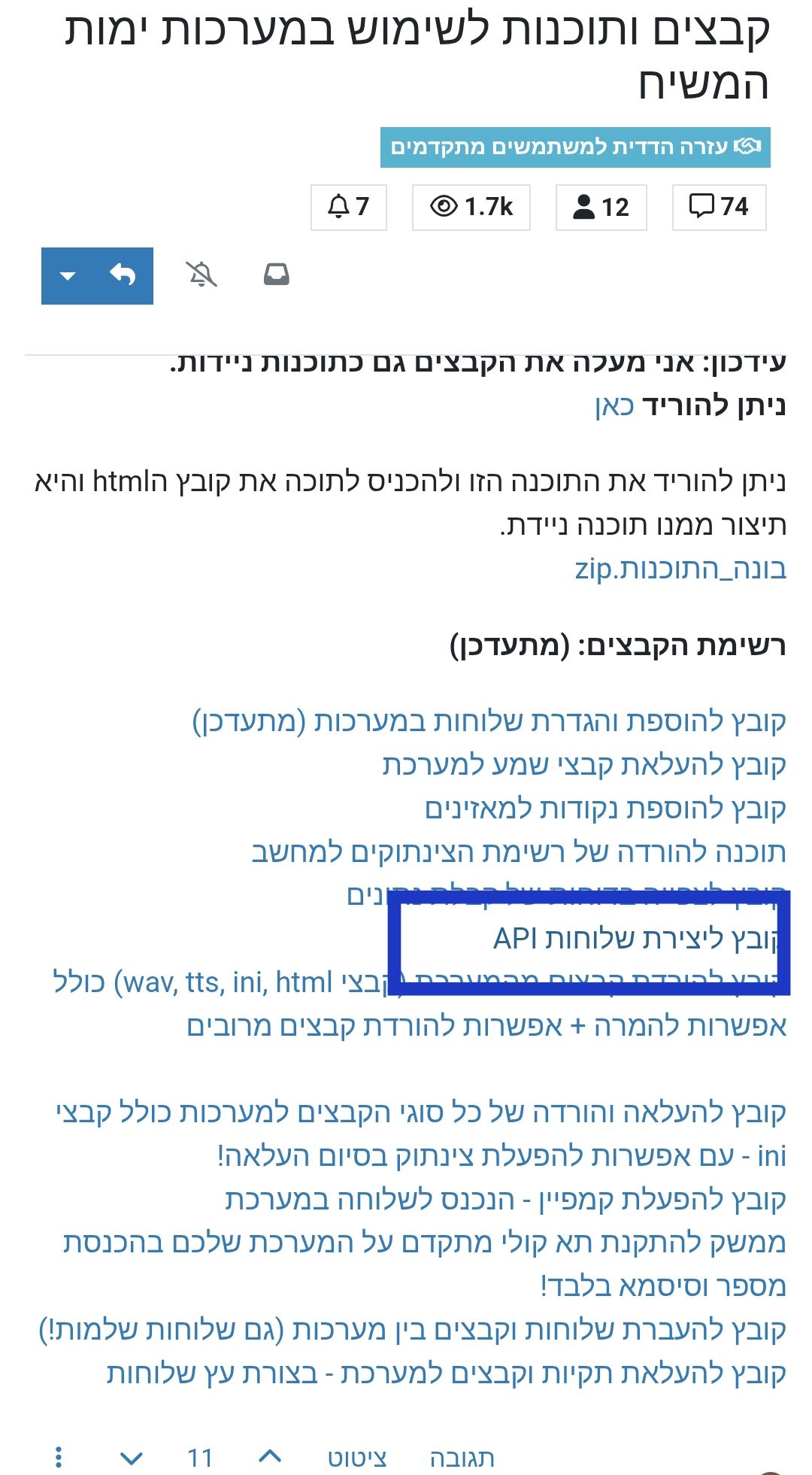
שלום! נראה שהשיחה הזו מעניינת אותך, אבל עדיין אין לך חשבון.
נמאס לכם לגלול בין אותם הפוסטים בכל ביקור? כשנרשמים לחשבון, תמיד תחזרו בדיוק למקום שבו הייתם קודם, ותוכלו לבחור לקבל התראות על תגובות חדשות (בין אם במייל, ובין אם בהתראת פוש). תוכלו גם לשמור סימניות ולפרגן ב-upvote לפוסטים כדי להביע הערכה לחברי קהילה אחרים.
בעזרת התרומה שלך, הפוסט הזה יכול להיות אפילו טוב יותר 💗
הרשמה התחברות