פאנל ניהול מותאם אישית
-
@ben-zion
מה אומר -
יש חדש
@ben-zion -
@לימוד-בתורת-מרן
וואו!!!
זה ממש הכללל!
ודרך אגב יש בתיעוד הסבר איך להוסיף מספרים לרשי"ת. -
@לימוד-בתורת-מרן יפה אבל אני רוצה משהו יותר מסודר
-
@BEN-ZION
כלומר?
מבחינת העיצוב?
או שהכל יהיה בנוי על רשימת הקבצים המוצגת כמו זה<!DOCTYPE html> <html lang="he" dir="rtl"> <head> <meta charset="UTF-8"> <title>ניהול שלוחות ימות המשיח</title> <style> :root { --primary: #2c3e50; --accent: #3498db; --success: #27ae60; --danger: #e74c3c; --violet: #8e44ad; --orange: #f39c12; } body { font-family: 'Segoe UI', sans-serif; background: #f4f7f6; margin: 0; padding: 20px; } /* סרגל עליון */ .top-bar { background: white; padding: 15px; border-radius: 10px; box-shadow: 0 2px 10px rgba(0,0,0,0.05); display: flex; flex-direction: column; gap: 10px; margin-bottom: 20px; } .inputs-row { display: flex; gap: 10px; align-items: center; width: 100%; } input { padding: 8px; border: 1px solid #ddd; border-radius: 5px; flex: 1; } /* עיצוב רכיב הטוקנים */ .token-main { position: relative; flex: 1; display: flex; } /* גודל זהה לשדה הנתיב */ #tokenField { flex: 1; width: 100%; } .token-dropdown { position: absolute; width: 100%; background: white; border: 1px solid #ccc; border-radius: 8px; box-shadow: 0 4px 10px rgba(0,0,0,0.1); z-index: 1000; max-height: 250px; overflow-y: auto; display: none; top: 100%; } .token-item { display: flex; justify-content: space-between; align-items: center; padding: 10px; cursor: pointer; border-bottom: 1px solid #eee; color: #333; } .token-item:hover { background: #f8f9fa; } .delete-item { color: #dc3545; font-weight: bold; padding: 5px 10px; cursor: pointer; border: none; background: none; } .dropdown-footer { padding: 8px; background: #f1f3f5; display: flex; gap: 5px; justify-content: center; border-top: 1px solid #ddd; } .footer-btn { font-size: 11px; padding: 4px 8px; cursor: pointer; border: 1px solid #ccc; background: white; border-radius: 4px; } /* כפתורים וטבלה */ .btn { cursor: pointer; border: none; border-radius: 4px; padding: 4px 8px; font-weight: bold; color: white; transition: 0.2s; font-size: 11px; text-align: center; display: inline-block; width: 100%; max-width: 75px; } .btn:hover { opacity: 0.85; transform: translateY(-1px); } .btn-load { background: var(--primary); padding: 8px 18px; width: auto; max-width: none; font-size: 14px; } .ext-container { background: #fff; padding: 15px; border-radius: 10px; box-shadow: 0 2px 10px rgba(0,0,0,0.05); margin-bottom: 20px; border-top: 4px solid var(--primary); } .ext-container h4 { margin: 0 0 10px 0; color: var(--primary); display: flex; justify-content: space-between; align-items: center; } #extTextArea { width: 100%; height: 120px; font-family: 'Consolas', monospace; font-size: 13px; padding: 10px; box-sizing: border-box; border: 1px solid #ddd; background: #fcfcfc; border-radius: 5px; } table { width: 100%; background: white; border-collapse: collapse; border-radius: 8px; overflow: hidden; } th { background: #f8f9fa; padding: 10px; font-size: 12px; border-bottom: 2px solid #eee; } td { padding: 5px 8px; border-bottom: 1px solid #eee; text-align: center; font-size: 12px; } .dl { background: var(--success); } .ed { background: var(--orange); } .up { background: var(--accent); } .del { background: var(--danger); } .view { background: var(--violet); } .modal { display: none; position: fixed; inset: 0; background: rgba(0,0,0,0.6); justify-content: center; align-items: center; z-index: 1000; } .modal-content { background: white; padding: 25px; border-radius: 12px; width: 600px; max-width: 95%; } .modal-footer { margin-top: 20px; display: flex; justify-content: flex-start; flex-direction: row-reverse; gap: 10px; } .convert-row { display: flex; gap: 10px; justify-content: center; margin-top: 20px; } </style> </head> <body> <div class="top-bar"> <div class="inputs-row"> <div class="token-main"> <input type="text" id="tokenField" placeholder="הזן טוקן או בחר" onclick="toggleDropdown(true)" oninput="filterDropdown(this.value)" onkeypress="handleEnter(event)" autocomplete="off"> <div id="tokenDropdown" class="token-dropdown"></div> </div> <input type="text" id="pathField" value="" placeholder="נתיב שלוחה" onkeypress="handleEnter(event)"> <button class="btn btn-load" onclick="startProcess()">טען רשימת קבצים</button> </div> <div style="display: flex; align-items: center; gap: 15px; padding-top: 5px;"> <div style="display: flex; align-items: center; gap: 5px;"> <input type="checkbox" id="saveTokenToggle" style="width: auto; cursor: pointer;" onchange="document.getElementById('tokenNameField').style.display = this.checked ? 'block' : 'none'"> <label for="saveTokenToggle" style="font-size: 12px; cursor: pointer; color: #666;">שמור טוקן זה במאגר</label> </div> <div id="tokenNameField" style="display:none;"> <input type="text" id="tokenAlias" placeholder="שם למזהה (למשל: המערכת שלי)" style="font-size: 12px; padding: 5px; width: 200px;"> </div> </div> </div> <div class="ext-container" id="extContainer" style="display:none;"> <h4> <span>הגדרות שלוחה (ext.ini)</span> <div style="display:flex; gap:8px;"> <button class="btn" style="background:var(--orange); width:auto; padding:5px 15px;" onclick="renameExtIni()">שנה שם</button> <button class="btn" style="background:var(--success); width:auto; padding:5px 15px;" onclick="saveExtIni()">שמור שינויים</button> </div> </h4> <textarea id="extTextArea"></textarea> </div> <table> <thead> <tr> <th style="text-align: right; width: 25%;">שם קובץ</th> <th>גודל</th> <th>תצוגה</th> <th>הורדה</th> <th>שינוי שם</th> <th>החלפה</th> <th>מחיקה</th> </tr> </thead> <tbody id="tableBody"></tbody> </table> <div id="mainModal" class="modal"> <div class="modal-content"> <h3 id="modalTitle" style="margin:0 0 15px 0; border-bottom:1px solid #eee; padding-bottom:10px;"></h3> <div id="modalBody"></div> <div class="modal-footer" id="modalFooter"> <button id="saveBtn" class="btn btn-load">שמור</button> <button class="btn" onclick="closeModal()" style="background:#95a5a6;">ביטול</button> </div> </div> </div> <script> const API_BASE = 'https://www.call2all.co.il/ym/api/'; const STORAGE_KEY = 'yemot_permanent_storage'; let savedTokens = JSON.parse(localStorage.getItem(STORAGE_KEY) || '{}'); document.addEventListener('click', (e) => { if (!e.target.closest('.token-main')) toggleDropdown(false); }); function toggleDropdown(show) { const dropdown = document.getElementById('tokenDropdown'); if (show) { renderDropdown(); dropdown.style.display = 'block'; } else { dropdown.style.display = 'none'; } } function renderDropdown(filter = "") { const dropdown = document.getElementById('tokenDropdown'); dropdown.innerHTML = ''; const filteredKeys = Object.keys(savedTokens).filter(a => a.toLowerCase().includes(filter.toLowerCase())); filteredKeys.forEach(alias => { const item = document.createElement('div'); item.className = 'token-item'; item.innerHTML = `<span>${alias}</span><button type="button" class="delete-item">✖</button>`; item.onclick = () => { document.getElementById('tokenField').value = savedTokens[alias]; toggleDropdown(false); }; item.querySelector('.delete-item').onclick = (e) => { e.stopPropagation(); if(confirm(`למחוק את ${alias}?`)) { delete savedTokens[alias]; localStorage.setItem(STORAGE_KEY, JSON.stringify(savedTokens)); renderDropdown(filter); } }; dropdown.appendChild(item); }); const footer = document.createElement('div'); footer.className = 'dropdown-footer'; footer.innerHTML = `<button type="button" class="footer-btn" style="color:red" onclick="if(confirm('למחוק הכל?')){savedTokens={};localStorage.setItem(STORAGE_KEY,'{}');renderDropdown();}">מחק הכל</button>`; footer.onclick = (e) => e.stopPropagation(); dropdown.appendChild(footer); } function filterDropdown(val) { renderDropdown(val); document.getElementById('tokenDropdown').style.display = 'block'; } function startProcess() { saveCurrentTokenIfRequested(); loadDirectory(); } function saveCurrentTokenIfRequested() { const token = document.getElementById('tokenField').value.trim(); const alias = document.getElementById('tokenAlias').value.trim(); if (document.getElementById('saveTokenToggle').checked && alias && token) { savedTokens[alias] = token; localStorage.setItem(STORAGE_KEY, JSON.stringify(savedTokens)); } } function handleEnter(event) { if (event.key === "Enter") startProcess(); } function getFullPath(fileName = "") { let rawPath = document.getElementById('pathField').value.trim(); if (rawPath && !rawPath.endsWith('/') && fileName !== "") rawPath += '/'; return `ivr2:${rawPath}${fileName}`; } async function callApi(method, params = {}) { const token = document.getElementById('tokenField').value.trim(); if (!token) return; let url = `${API_BASE}${method}?token=${token}`; for (let key in params) url += `&${key}=${encodeURIComponent(params[key])}`; const res = await fetch(url); return await res.json(); } async function loadDirectory() { const data = await callApi('GetIVR2Dir', { path: getFullPath() }); const body = document.getElementById('tableBody'); body.innerHTML = ''; if (data && data.files) { data.files.forEach(file => { const isText = file.name.endsWith('.ini') || file.name.endsWith('.tts'); body.innerHTML += ` <tr> <td style="text-align: right;"><strong>${file.name}</strong></td> <td style="color:#888;">${file.size} B</td> <td>${isText ? `<button class="btn view" onclick="openTextFile('${file.name}')">הצג</button>` : '-'}</td> <td><button class="btn dl" onclick="handleDownloadClick('${file.name}')">הורדה</button></td> <td><button class="btn ed" onclick="renameFile('${file.name}')">שינוי</button></td> <td><button class="btn up" onclick="uploadUI('${file.name}')">החלפה</button></td> <td><button class="btn del" onclick="deleteFile('${file.name}')">מחיקה</button></td> </tr>`; }); loadExtIni(); } } async function loadExtIni() { const data = await callApi('GetTextFile', { what: getFullPath('ext.ini') }); document.getElementById('extContainer').style.display = 'block'; document.getElementById('extTextArea').value = (data && data.exists !== false) ? data.contents || "" : "קובץ ext.ini לא נמצא."; } async function saveExtIni() { const res = await callApi('UploadTextFile', { what: getFullPath('ext.ini'), contents: document.getElementById('extTextArea').value }); if (res && res.responseStatus === "OK") alert("נשמר!"); } async function renameExtIni() { const newName = prompt("שם חדש ל-ext.ini:", "ext.ini"); if (newName) { const res = await callApi('FileAction', { action: 'move', what: getFullPath('ext.ini'), target: getFullPath(newName) }); if (res && res.responseStatus === "OK") loadDirectory(); } } function handleDownloadClick(name) { if (name.toLowerCase().endsWith('.ymgr')) showConvertModal(name); else window.open(`${API_BASE}DownloadFile?token=${document.getElementById('tokenField').value}&path=${getFullPath(name)}`); } function showConvertModal(name) { const html = ` <p style="text-align:center;">בחר פורמט המרה עבור קובץ הנתונים:</p> <div class="convert-row"> <button class="btn" style="background:var(--primary); max-width:none; flex:1; padding:10px;" onclick="executeRender('${name}', '')">ללא המרה</button> <button class="btn" style="background:var(--success); max-width:none; flex:1; padding:10px;" onclick="executeRender('${name}', 'csv')">אקסל (CSV)</button> <button class="btn" style="background:var(--violet); max-width:none; flex:1; padding:10px;" onclick="executeRender('${name}', 'html')">דף HTML</button> </div>`; showModal("המרה והורדה", html); document.getElementById('modalFooter').style.display = 'none'; } function executeRender(name, type) { const token = document.getElementById('tokenField').value; const url = type === "" ? `${API_BASE}DownloadFile?token=${token}&path=${getFullPath(name)}` : `${API_BASE}RenderYMGRFile?token=${token}&wath=${getFullPath(name)}&convertType=${type}`; window.open(url); closeModal(); } function showModal(title, html) { document.getElementById('modalTitle').innerText = title; document.getElementById('modalBody').innerHTML = html; document.getElementById('mainModal').style.display = 'flex'; document.getElementById('modalFooter').style.display = 'flex'; } function closeModal() { document.getElementById('mainModal').style.display = 'none'; } async function deleteFile(name) { if (confirm(`למחוק את ${name}?`)) { const res = await callApi('FileAction', { action: 'delete', what: getFullPath(name) }); if (res.responseStatus === "OK") loadDirectory(); } } function renameFile(name) { const newName = prompt("שם חדש:", name); if (newName) callApi('FileAction', { action: 'move', what: getFullPath(name), target: getFullPath(newName) }).then(loadDirectory); } async function openTextFile(name) { const data = await callApi('GetTextFile', { what: getFullPath(name) }); showModal(`עריכת ${name}`, `<textarea id="modalTextArea" style="width:100%; height:300px; font-family:monospace;">${data.contents || ''}</textarea>`); document.getElementById('saveBtn').onclick = async () => { await callApi('UploadTextFile', { what: getFullPath(name), contents: document.getElementById('modalTextArea').value }); closeModal(); loadDirectory(); }; } function uploadUI(name) { showModal(`החלפת ${name}`, `<input type="file" id="fInp" style="margin-top:10px;">`); document.getElementById('saveBtn').onclick = async () => { const token = document.getElementById('tokenField').value; const file = document.getElementById('fInp').files[0]; if (!file) return; const fd = new FormData(); fd.append('file', file); await fetch(`${API_BASE}UploadFile?token=${token}&path=${getFullPath()}`, { method: 'POST', body: fd }); closeModal(); loadDirectory(); }; } </script> </body> </html> -
@BEN-ZION
זה ישן לא בדקתי לא סידרתי -
@אA
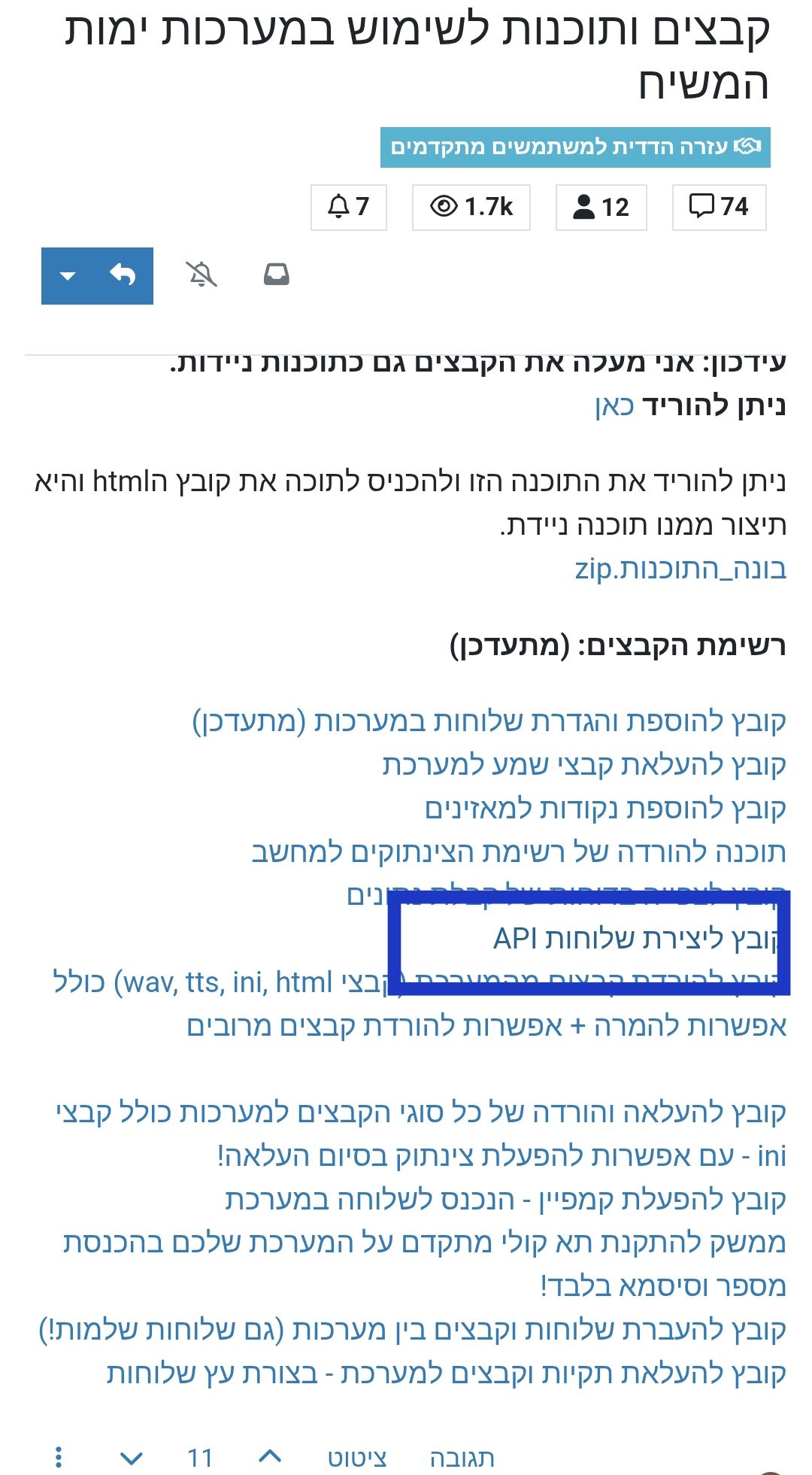
יש לך קובץ html
של משהו על api. תוכל לעלות את הקוד
כי כותב שגיאה כי זה בתור html -
-
@אA @לימוד-בתורת-מרן כזה סגנון אני רוצה
-
-
@אa
יש מבין? -
@לימוד-בתורת-מרן
מבין לגמרי
עודכן -
כלום לא הישתנה שאלתי אם תוכל להקפיץ לכאן את הקוד?
-
@לימוד-בתורת-מרן
מבין לגמרי
לך לשרשור המקור -
@אA
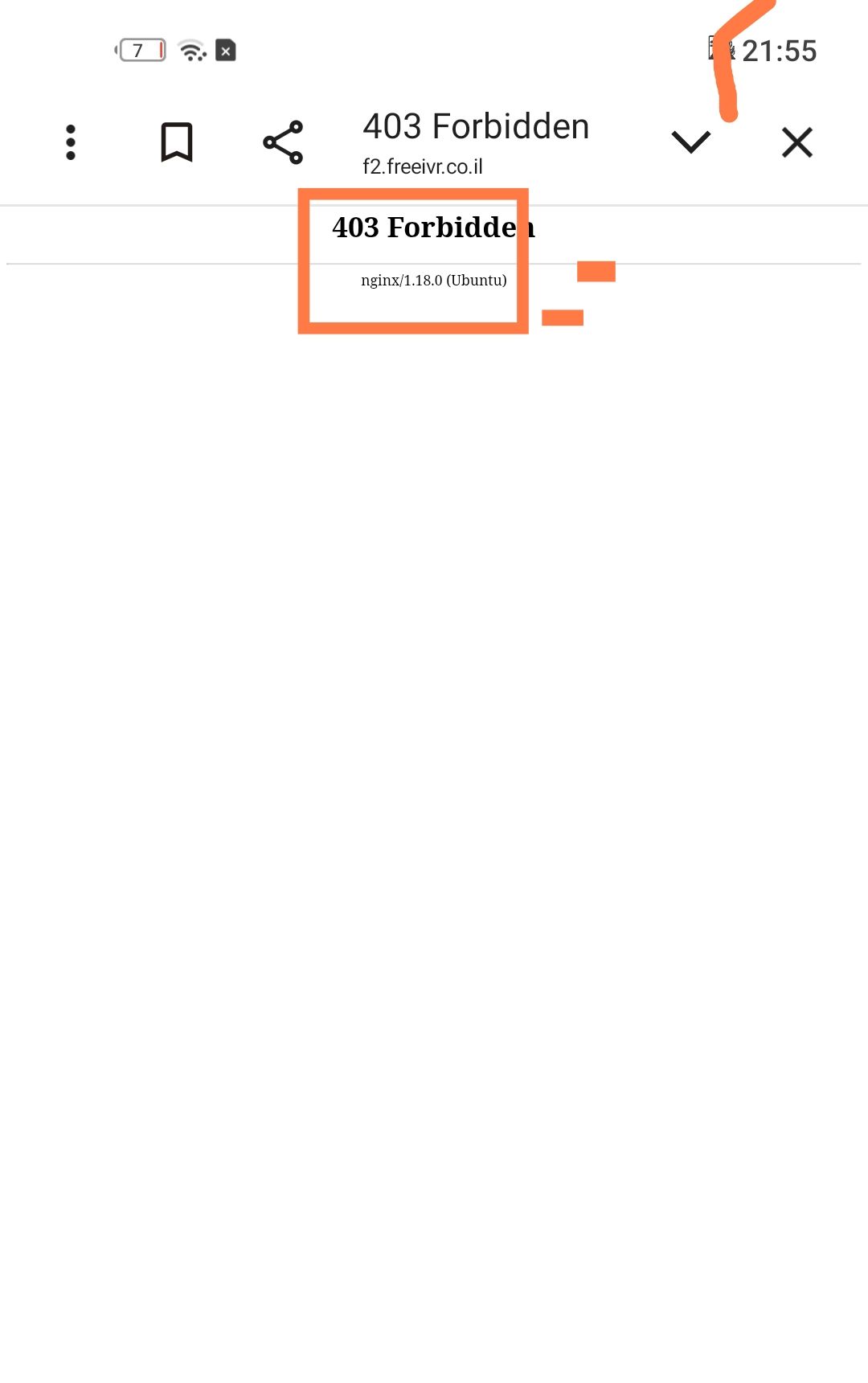
הוא מביא אותי לקובץ לא לקוד נכנס שגיאת 404 -
@לימוד-בתורת-מרן
הבאתי את שירשור המקור.
הקובץ הוא של איל משולש לא שלי.