העתקת מערכת
-
@לימוד-בתורת-מרן @אביי-ורבא
אולי גם ל@אa יש פתרון. -
-
@עידו
אתה מכיר עוד דרך חינמית -
@לימוד-בתורת-מרן אם זה לא כזה מערבכת גדולה אפשר בקוסמוס של @אביי-ורבא
-
@לימוד-בתורת-מרן
אני אתקן את זה בלנ"ד -
@אA
אני צריך כמה שיותר מהר
זה דחוף!!!
שיהיה אפשר לשכפל את ת כל המערכת
וכיצד כולל הודעות מערכת . ext.ini -
@לימוד-בתורת-מרן
סתם כך תוכל להוריד למשחב עם קובץ הגיבוי ואז להעלות עם קובץ העלאה עץ שלוחות -
@אA
גם אני חשבתי מנסה -
@לימוד-בתורת-מרן מה רע בקוסמוס למה להסתבך?
-
@לימוד-בתורת-מרן
ניסית להכניס /? -
@אA
שכתוב / אוצר להזין מספר שלוחנ -
כתב בהעתקת מערכת:
@עידו @אa
יש לו את ת html
אבל איך מעתיק את כל המערכת
בשלוחה כותב /.אומר לכתוב שלוחה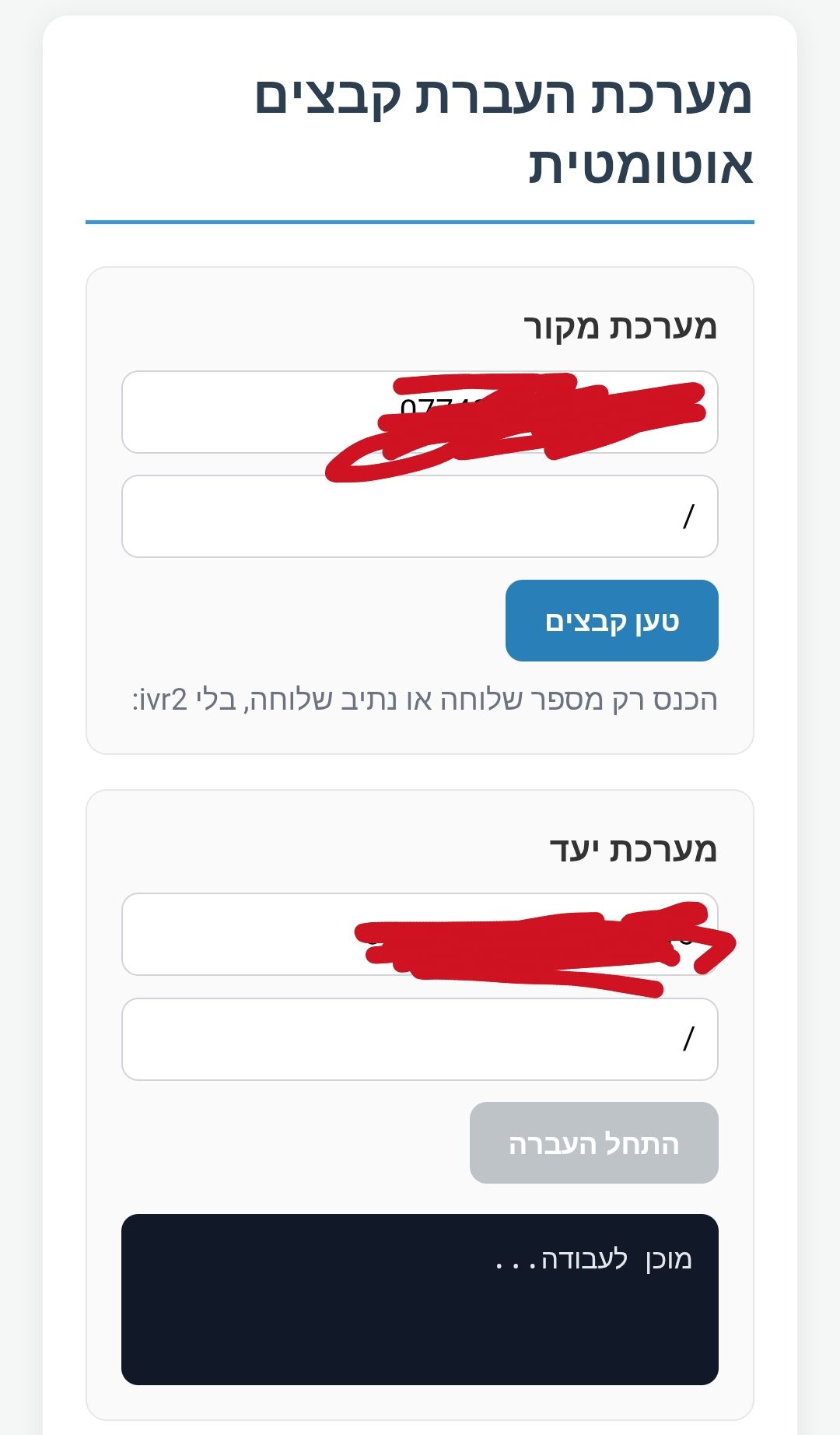
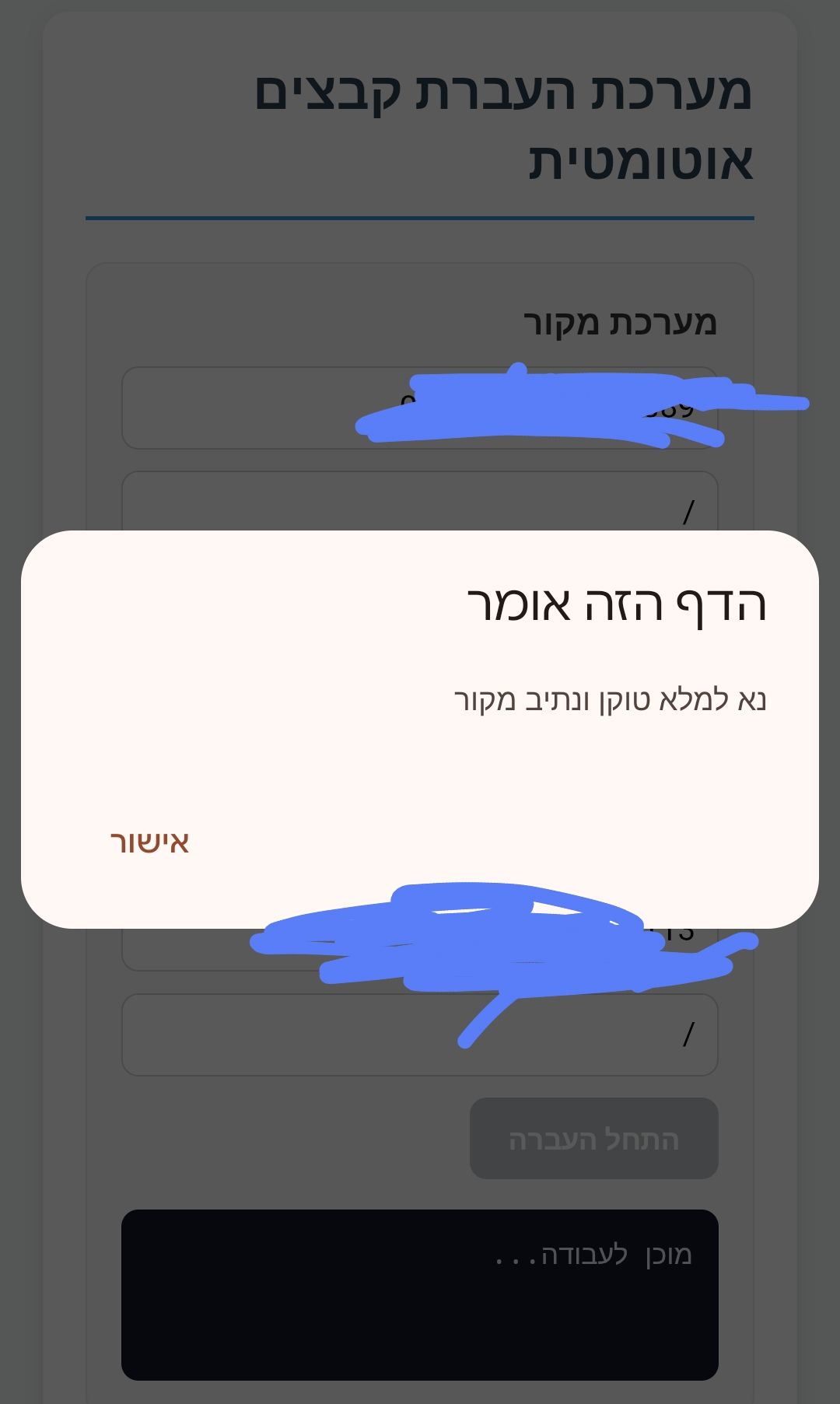
מצורף תמונה
-
@אA
בהורדת שלוחות
זה מוריד גם הגדרות. ext.ini -
-
@לימוד-בתורת-מרן
תנסה את זה ותעדכן אותי אם עבד<!DOCTYPE html> <html lang="he" dir="rtl"> <head> <meta charset="UTF-8"> <title>מעביר קבצים - ימות המשיח</title> <style> body { font-family: 'Segoe UI', Tahoma, Geneva, Verdana, sans-serif; margin: 20px; background-color: #f4f7f6; color: #333; text-align: right; } .container { max-width: 900px; margin: auto; background: white; padding: 20px; border-radius: 10px; box-shadow: 0 2px 10px rgba(0,0,0,0.1); } .section { border: 1px solid #e0e0e0; padding: 15px; margin-bottom: 15px; border-radius: 8px; background: #fafafa; } h2 { color: #2c3e50; border-bottom: 2px solid #3498db; padding-bottom: 10px; margin-top: 0; } .input-group { margin-bottom: 10px; display: flex; gap: 10px; align-items: center; flex-wrap: wrap; } input[type="text"] { padding: 8px; border: 1px solid #ddd; border-radius: 4px; flex: 1; min-width: 200px; } button { padding: 10px 20px; background-color: #3498db; color: white; border: none; border-radius: 4px; cursor: pointer; font-weight: bold; } button:hover { background-color: #2980b9; } button:disabled { background-color: #bdc3c7; cursor: not-allowed; } table { width: 100%; border-collapse: collapse; margin-top: 15px; } th, td { border: 1px solid #ddd; padding: 10px; text-align: center; } th { background-color: #ecf0f1; } .progress-container { width: 100%; background-color: #eee; border-radius: 13px; margin: 15px 0; display: none; overflow: hidden; height: 25px; } .progress-bar { width: 0%; height: 100%; background-color: #2ecc71; text-align: center; line-height: 25px; color: white; transition: width 0.3s; } .status-text { font-weight: bold; color: #e67e22; text-align: center; margin-top: 5px; } .file-list-section { margin-top: 20px; border-top: 2px solid #eee; padding-top: 20px; } </style> </head> <body> <div class="container"> <h2>מערכת העברת קבצים אוטומטית</h2> <div class="section"> <strong>מערכת מקור</strong> <div class="input-group"> <input type="text" id="srcToken" placeholder="טוקן מקור"> <input type="text" id="srcPath" placeholder="שלוחה מקור (השאר ריק לשורש)"> <button id="loadBtn" onclick="loadFiles()">טען קבצים</button> </div> </div> <div class="section"> <strong>מערכת יעד</strong> <div class="input-group"> <input type="text" id="destToken" placeholder="טוקן יעד"> <input type="text" id="destPath" placeholder="שלוחת יעד (השאר ריק לשורש)"> <button id="transferBtn" onclick="startTransfer()" disabled>התחל העברה</button> </div> <div class="progress-container" id="progCont"> <div class="progress-bar" id="progBar">0%</div> </div> <div id="transferStatus" class="status-text"></div> </div> <div id="fileArea" class="file-list-section" style="display:none;"> <h3>קבצים בשלוחת המקור</h3> <table> <thead> <tr> <th><input type="checkbox" id="selectAll" onclick="toggleSelectAll(this)"></th> <th>שם הקובץ</th> <th>גודל</th> </tr> </thead> <tbody id="fileTableBody"></tbody> </table> </div> </div> <script> function toggleSelectAll(source) { const checkboxes = document.querySelectorAll('.file-check'); checkboxes.forEach(cb => cb.checked = source.checked); } async function loadFiles() { const token = document.getElementById('srcToken').value; let path = document.getElementById('srcPath').value; const loadBtn = document.getElementById('loadBtn'); const tbody = document.getElementById('fileTableBody'); if(!token) return alert("נא למלא טוקן מקור"); // אם הנתיב ריק, נשתמש בסימן סלאש בלבד const finalPath = path.trim() === "" ? "/" : path; loadBtn.innerText = "טוען..."; loadBtn.disabled = true; try { const response = await fetch(`https://www.call2all.co.il/ym/api/GetIVR2Dir?token=${token}&path=${finalPath}`); const data = await response.json(); if (data.responseStatus !== "OK") throw new Error(data.message); tbody.innerHTML = ''; if (data.files && data.files.length > 0) { data.files.forEach(file => { tbody.innerHTML += `<tr> <td><input type="checkbox" class="file-check" data-name="${file.name}"></td> <td>${file.name}</td> <td>${(file.size / 1024).toFixed(1)} KB</td> </tr>`; }); document.getElementById('fileArea').style.display = 'block'; document.getElementById('transferBtn').disabled = false; } else { alert("לא נמצאו קבצים בשלוחה זו."); } } catch (e) { alert("שגיאה: " + e.message); } finally { loadBtn.innerText = "טען קבצים"; loadBtn.disabled = false; } } async function startTransfer() { const srcToken = document.getElementById('srcToken').value; let srcPath = document.getElementById('srcPath').value.trim(); const destToken = document.getElementById('destToken').value; let destPath = document.getElementById('destPath').value.trim(); const selected = Array.from(document.querySelectorAll('.file-check:checked')); if (selected.length === 0) return alert('נא לבחור קבצים להעברה'); const status = document.getElementById('transferStatus'); const progBar = document.getElementById('progBar'); document.getElementById('progCont').style.display = 'block'; document.getElementById('transferBtn').disabled = true; for (let i = 0; i < selected.length; i++) { const fileName = selected[i].getAttribute('data-name'); status.innerText = `מעביר: ${fileName} (${i + 1}/${selected.length})`; try { // הגדרת נתיב מקור ויעד - אם ריק, נשאר רק הסלאש const fullSrcPath = srcPath === "" ? `ivr2:/${fileName}` : `ivr2:${srcPath}/${fileName}`; const fullDestPath = destPath === "" ? `ivr2:/${fileName}` : `ivr2:${destPath}/${fileName}`; // הורדה const downloadUrl = `https://www.call2all.co.il/ym/api/DownloadFile?token=${srcToken}&path=${fullSrcPath}`; const downloadRes = await fetch(downloadUrl); if (!downloadRes.ok) throw new Error('הורדה נכשלה'); const fileBlob = await downloadRes.blob(); // העלאה const formData = new FormData(); formData.append('token', destToken); formData.append('path', fullDestPath); formData.append('qqfile', fileBlob, fileName); const uploadRes = await fetch(`https://www.call2all.co.il/ym/api/UploadFile`, { method: 'POST', body: formData }); await uploadRes.json(); } catch (err) { console.error("תקלה:", err); status.innerText = `שגיאה בקובץ ${fileName}, ממשיך...`; } const percent = Math.round(((i + 1) / selected.length) * 100); progBar.style.width = percent + '%'; progBar.innerText = percent + '%'; } status.innerText = 'ההעברה הושלמה בהצלחה!'; document.getElementById('transferBtn').disabled = false; } </script> </body> </html> -
@אA
כל קובץ שיורד אוצר פגום
בקוד הקודם -
@לימוד-בתורת-מרן
באיזה קוד?
של העברה או גיבוי? -
@אA
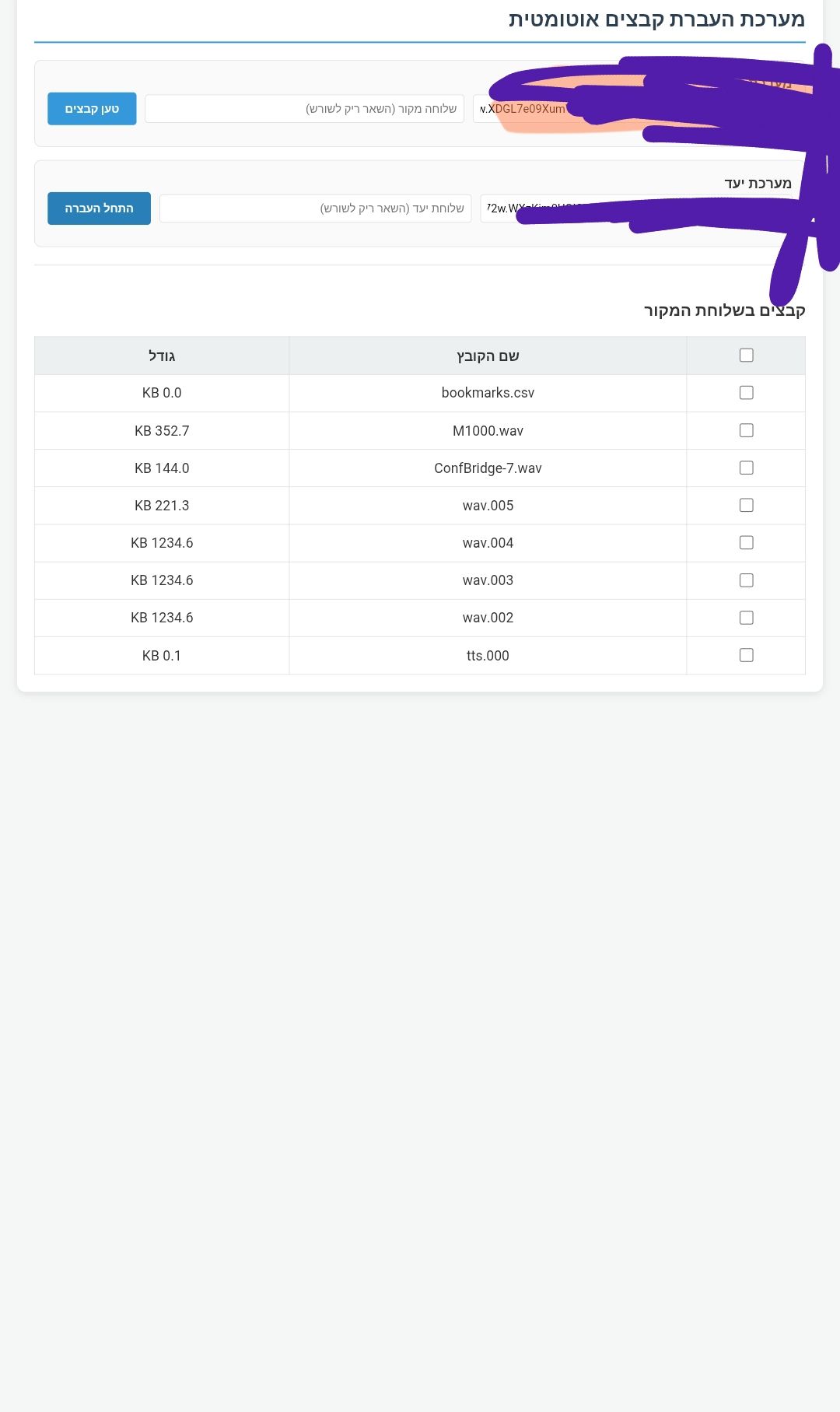
עובד נראה לי
אבל למה אין
ext.ini וגם ivr.ini
-
@לימוד-בתורת-מרן
בקודם היה?
אני מתכוון בתוך שלוחה פנימית -
@אa אני מחכה לתשובה!!!
שלום! נראה שהשיחה הזו מעניינת אותך, אבל עדיין אין לך חשבון.
נמאס לכם לגלול בין אותם הפוסטים בכל ביקור? כשנרשמים לחשבון, תמיד תחזרו בדיוק למקום שבו הייתם קודם, ותוכלו לבחור לקבל התראות על תגובות חדשות (בין אם במייל, ובין אם בהתראת פוש). תוכלו גם לשמור סימניות ולפרגן ב-upvote לפוסטים כדי להביע הערכה לחברי קהילה אחרים.
בעזרת התרומה שלך, הפוסט הזה יכול להיות אפילו טוב יותר 💗
הרשמה התחברות