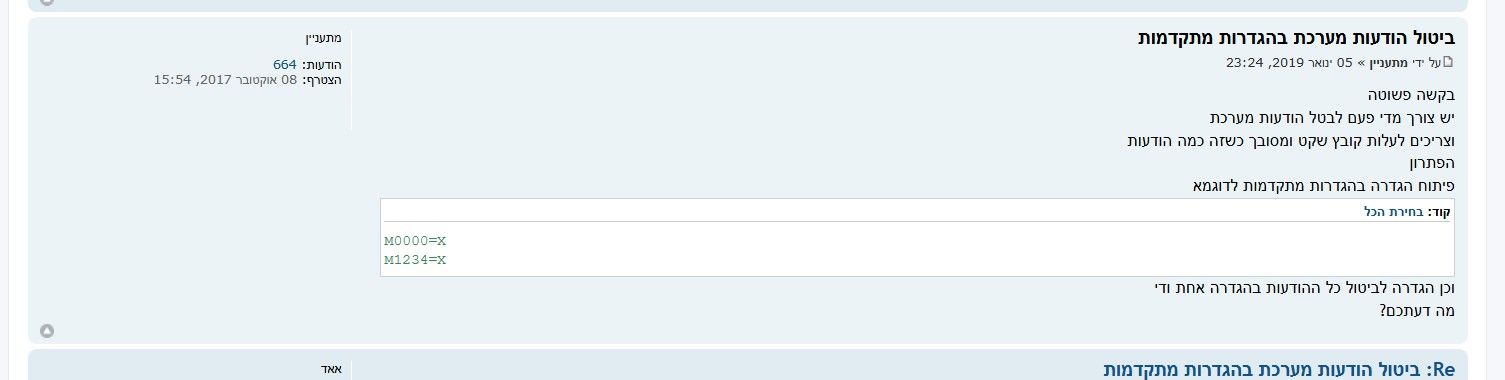
@מתעניין כתב בסיכום שיחות:
וכמובן בקובץ האקסס של אריה
מה זה?
https://f2.freeivr.co.il/post/419
וכאן תיקון לטוקן החדש
https://f2.freeivr.co.il/post/168884
@מתעניין כתב בסיכום שיחות:
וכמובן בקובץ האקסס של אריה
מה זה?
https://f2.freeivr.co.il/post/419
וכאן תיקון לטוקן החדש
https://f2.freeivr.co.il/post/168884
@יב אולי זה בגלל שזה שתי שרתים
שיתוף רגיל עובד?
ואם אתה מוריד את מניעת העתקה זה עובד?
https://tiny-gingersnap-1b24c1.netlify.app/login
כאן אפשר
וכמובן בקובץ האקסס של אריה
@אופיר עובד.
אני מוחק את ההודעות
@אופיר כתב בתגובה - קודים לתקשור עם מערכת טלפונית דרך אקסס - התאמה לטוקן:
@מתעניין תריץ שוב את הפעולה, וכשזה נתקע ומופיעה שגיאה תלחץ על Debug כדי לראות היכן זה נתקע, ואז בצד ימין למעלה תפתח את Locals
תעלה צילו"מ מהחלון שיפתח
רואים שזה בעיה בטוקן
פשוט בעיה בטוקן
החלפתי וזה עובד!
@אופיר כאן

וזה כל הקוד בדף
Option Compare Database
Option Base 1
Function DownloadFile(UserName As String, Password As String, Address As String, FileName As String) As String
If ContactYemot(UserName, Password) = False Then Exit Function
Dim text As String
text = GetFile("https://call2all.co.il/ym/api/DownloadFile?token=" & Token & "&path=ivr" & Address & "/" & FileName)
If text = "" Or IsNull(text) Then
MsgBox "אין נתונים להורדה בקובץ " & file & " בשלוחה " & Address, vbMsgBoxRight + vbCritical + vbMsgBoxRtlReading, "הורדת קבצים"
Exit Function
ElseIf text = "Requested file does not exist" Then
MsgBox "הקובץ " & FileName & " לא נמצא בשלוחה " & Address, vbMsgBoxRight + vbCritical + vbMsgBoxRtlReading, "הורדת קבצים"
Exit Function
End If
TempVars("ymgrName") = FileName
DownloadFile = text
End Function
Sub ImportTextToTable(strText As String, strTableName As String, Optional OnExists As Integer = 1, Optional RowToStart As Long, Optional RowToEnd As Long)
Dim startRowInStr As Long, numRow As Integer
chrStartRow = Mid(strText, 1, 1)
startRow = Chr(13) & Chr(10) & chrStartRow
numRow = 1
If RowToStart Or RowToEnd Then
Do
numRow = numRow + 1
startRowInStr = InStr(startRowInStr + 1, strText, startRow)
If startRowInStr = 0 Then Exit Do
If numRow = RowToStart Then inStrRowToStart = startRowInStr + 1
If numRow = RowToEnd Then inStrRowToEnd = startRowInStr - 1: Exit Do
Loop
If numRow <= RowToStart Then Exit Sub
End If
If RowToEnd = 0 Then inStrRowToEnd = Len(strText)
strText = Mid(strText, 1 + inStrRowToStart, Len(strText) - inStrRowToStart + inStrRowToEnd - Len(strText))
NamesFildsFile = GetNameFilds(strText)
strText = "[{""" & strText
strText = Replace(strText, "#", """:""")
strText = Replace(strText, "%", """,""")
strText = Replace(strText, startRow, """},{""" & chrStartRow)
strText = strText & """}]"
Dim json As Object, Currentid As Variant
Set json = JsonConverter.ParseJson(strText)
Set rs = CurrentDb.OpenRecordset(CreatingTable(strTableName, NamesFildsFile, OnExists))
For Each Currentid In json
rs.AddNew
For Each filds In NamesFildsFile
valJson = Currentid(filds)
rs(filds) = valJson
Next
rs.Update
Next
End Sub
Function GetFile(ByVal strURL As String) As String
On Error GoTo err:
Dim Http As Object
Set Http = CreateObject("MSXML2.XMLHTTP")
With Http
.Open "POST", strURL, False
.SetRequestHeader "Content-Type", "multipart/form-data"
.Send
End With
DoEvents
GetFile = Http.ResponseText
Set Http = Nothing
Exit Function
err:
Select Case err
Case -2146697211, -2146697210
GetFile = "אין חיבור לאינטרנט"
End Select
End Function
Function GetNameFilds(ByVal strText As String)
Dim tmpNamesFildsFile(100) As String
s = 1
Do
filds = Mid(strText, s, InStr(s, strText, "#") - s)
cntFilds = cntFilds + 1
tmpNamesFildsFile(cntFilds) = filds
strText = Replace(strText, "%" & filds, "")
s = InStr(s, strText, "%") + 1
If s = 1 Then Exit Do
Loop
Dim NamesFildsFile() As Variant
ReDim NamesFildsFile(cntFilds)
For f = 1 To cntFilds
NamesFildsFile(f) = tmpNamesFildsFile(f)
Next
GetNameFilds = NamesFildsFile
End Function
@אופיר כן
הקובץ מובא בקישור
פתח אותו וראה
ההתחברות היא באוביקט
Contact
@אופיר א"כ צריך לעשות כך
צריך לשנות בטופס Contact
במקום הקוד הנל
את הקוד הזה
Function GetToken(UserName As String, Password As String) As String
'מקבל שם מערכת וטוקן (במקום סיסמה), ומחזיר את הטוקן בלבד...
If Password = "" Then Exit Function
GetToken = Password
End Function
צריך להשים טוקן קבוע במקום הסיסמא
ובמספר המערכת אפשר להכניס 0
וזהו.
@CUBASE מדובר על קובץ בנוי כבר
שעובד עם טופס קיים שבו אתה מזין מס מערכת וססימא
והוא שולח את זה לימות, מקבל טוקן וכך ממשיך לרוץ
השאלה מה עושים מעכשיו.
בא ניתן דוגמא
זה למשל הקוד להתחברות
Function GetToken(UserName As String, Password As String) As String
On Error GoTo err:
'מקבל שם מערכת וסיסמא, ומחזיר טוקן
Dim MapsClient As New WebClient
MapsClient.BaseUrl = "https://private.call2all.co.il/ym/api/Login"
' Create a WebRequest for getting directions
Dim DirectionsRequest As New WebRequest
DirectionsRequest.Method = WebMethod.HttpPost
DirectionsRequest.format = WebFormat.json
DirectionsRequest.AddQuerystringParam "username", UserName
DirectionsRequest.AddQuerystringParam "password", Password
Dim Response As WebResponse
Set Response = MapsClient.Execute(DirectionsRequest)
If Response.data("responseStatus") = "OK" Then
GetToken = Response.data("token")
Else
Select Case Response.data("message")
Case "bruteforce protection - account locked"
MsgBox "כניסתך נחסמה. אנא נסה מאוחר יותר", vbMsgBoxRight + vbCritical + vbMsgBoxRtlReading, "התחברות לימות המשיח"
Case "user name or password do not match"
MsgBox "שם המשתמש או הסיסמא אינם תואמים", vbMsgBoxRight + vbCritical + vbMsgBoxRtlReading, "התחברות לימות המשיח"
End Select
GetToken = "Error"
End If
Exit Function
err:
MsgBox "שגיאה בהתחברות, נסה שוב", vbMsgBoxRight + vbCritical + vbMsgBoxRtlReading, "התחברות לימות המשיח"
GetToken = "Error"
End Function
עכשיו השאלה מה צריך לשנות כדי שזה יעבוד עם הטוקן החדש.
עריכה @אופיר נתן את התשובה בהודעה הבאה
https://f2.freeivr.co.il/post/168957
@עושה-שלום תפתח נושא חדש
עם הסבר ברור מה אתה צריך
זה לא קשור כלל לנושא זה.
@עושה-שלום מה הקשר לכאן?
אתה בימות המשיח
ומדברים על סיסמא של המערכת.
@עושה-שלום לא הבנתי בדיוק מה רצונך
אם אתה רוצה לתת ללקוח קובץ מוכן עם הסיסמא בתוכו
אז היום זה יותר קל
ולכאורה גם באקסל.
אבל אנחנו מדברים על קבצים שכבר בנויים
@מנסה כתב בהוספת אפשרות להשתמש עם מפתח API במקום הסיסמה בשימוש עם טוקן מספר מערכת:סיסמה:
@מתעניין
בדקתי כעת [שלחתי מערכת ומפתח API] ללוגין וחזר ריק
אין יותר כנראה טוקן רגיל לכניסה
אז מה הפתרון לאקסס?