• דף הבית
    • אינדקס קישורים
    • פוסטים אחרונים
    • משתמשים
    • חיפוש בהגדרות המתקדמות
    • חיפוש גוגל בפורום
    • ניהול המערכת
    • ניהול המערכת - שרת private
    • הרשמה
    • התחברות
    1. דף הבית
    2. 15183299387
    3. נושאים
    1
    מנותק
    • פרופיל
    • עוקב אחרי 0
    • עוקבים 0
    • נושאים 2
    • פוסטים 6
    • קבוצות 0

    נושאים

    • 1

      how to make a bookmark setting

      במעקב התעלמות מתוזמן נעוץ נעול הועבר שאלות ועזרה הדדית
      9
      0 הצבעות
      9 פוסטים
      126 צפיות
      מ
      @15183299387 Apologies... I didn't understand you well... In any case, to make a system that allows the listener to save up to 9 different locations and return to them later using the # key from the main menu - you will define the following settings: 1. Defining the # key in the main menu In the main extension, define: type=menu hash_extension=yes Explanation: The type=menu setting defines the extension as a menu and the hash_extension=yes setting turns the # key into an address to an internal extension called Hash. 2. Creating the bookmark management extension (Hash folder) Create a folder called Hash under the main extension. Inside it, create 9 extensions (folders) numbered 1-9. Each extension (for example Hash/5) will direct the listener to the appropriate extension that stores the location: In the ext.ini file of extension /Hash/5 (for example): type=go_to_folder go_to_folder=/Bookmarks/5 So, pressing # and then 5 will move the listener to the extension that stores the fifth bookmark. 3. Creating the bookmark extensions to store the location You need to create 9 extensions in the path /Bookmarks/1 to /Bookmarks/9. These extensions are the "mirrors" of your content lessons, and each of them will remember a separate location. In each such extension (for example /Bookmarks/5) set: type=playfile folder_to_play=the path to the extension where the lessons are located save_last_play=yes last_play_auto=yes folder_to_play: The path to the extension where the actual lesson files are located. save_last_play=yes: Causes the system to remember where the listener stopped in this extension. last_play_auto=yes: Causes the system to automatically return the listener to the exact point where they stopped as soon as they enter the extension. 4. Setting the 8 key to save a bookmark while listening So that the listener can press 8 in the middle of a lesson and choose which bookmark to save the location to, set in the original lessons extension (where the lessons are actually located): control_play8=go_to_folder playfile_control_play_8_goto=/SelectSlot This setting will take the listener to a new menu extension called SelectSlot when pressing 8. 5. Creating a bookmark selection menu (SelectSlot) Within the SelectSlot extension, create 9 internal extensions (1-9). Each of them will simply take the listener to continue listening through the selected bookmark. For example, in the ext.ini file of the /SelectSlot/5 extension: type=go_to_folder go_to_folder=/Bookmarks/5 When the listener types 8 and then 5, they will be taken to the /Bookmarks/5 extension. Since this is an extension that "mirrors" the same files (via folder_to_play), they will continue listening as usual, but from now on their location will be saved under bookmark 5. I hope the translation was clear enough and didn't disrupt the guide... Good luck!
    • 1

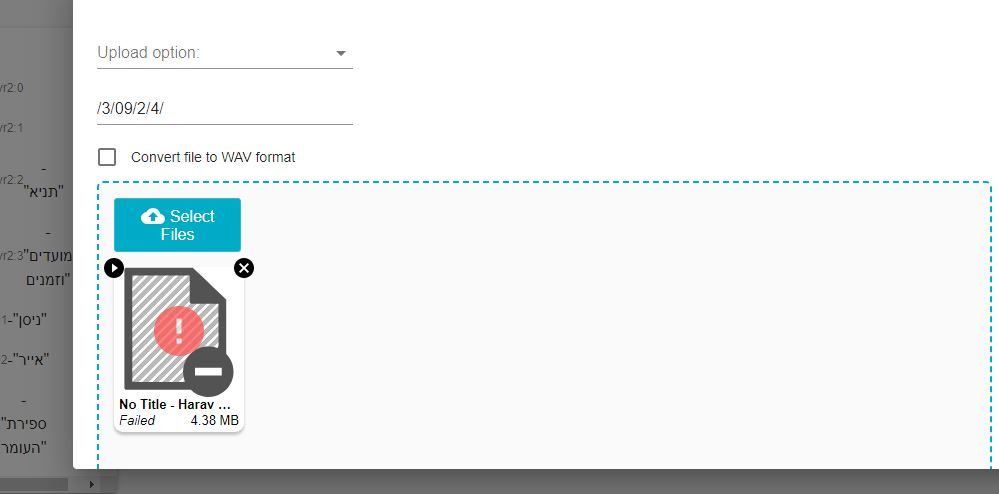
      getting failed while uploading

      במעקב התעלמות מתוזמן נעוץ נעול הועבר לא נפתר שאלות ועזרה הדדית
      5
      1
      0 הצבעות
      5 פוסטים
      73 צפיות
      1
      @שמואל thak you for hallping it works